
Key takeaways
- Phone-dependent smartwatch: usually the lowest additional cost if the wearer already owns a compatible phone. Family notifications may be free, but the watch cannot reliably help when the phone is left at home.
- Cellular smartwatch: adds roughly $10–$20 per month for watch service, depending on carrier and plan. Emergency calls may go directly to local services rather than to a professional monitoring center.
- Dedicated medical-alert watch: commonly costs about $40–$100 per month, sometimes with equipment or activation fees. The fee generally supports cellular connectivity, monitoring staff, caregiver escalation, or related services.
The best medical alert smartwatches with fall detection are the Apple Watch SE or Series 10 for iPhone owners, the Samsung Galaxy Watch7 for Android users, and the Unaliwear Kanega Watch for seniors who want a simpler, dedicated medical-alert device. The right choice depends less on the watch’s appearance than on whether it can contact help when the wearer is alone, where it has cellular coverage, and whether the wearer will reliably charge and use it.
Our top picks
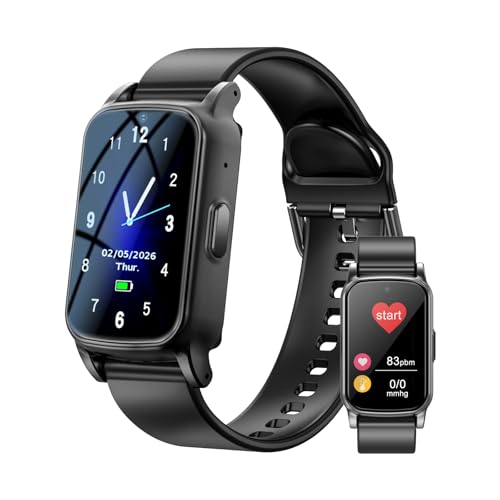


As an Amazon Associate we earn from qualifying purchases at no extra cost to you. Ratings are shown as listed on Amazon.
Quick picks by situation
| Situation | Best fit | Why | Main compromise |
|---|---|---|---|
| Uses an iPhone and wants a familiar smartwatch | Apple Watch SE (2nd generation) or Apple Watch Series 10 | Strong fall detection, Emergency SOS, GPS, optional cellular service, and clear safety workflows | Short battery life and an iPhone is required |
| Uses a Samsung or other Android phone | Samsung Galaxy Watch7 LTE | Fall detection, GPS, SOS features, and Android compatibility | Setup and emergency features vary by phone, carrier, and country |
| Wants fall detection without a conventional smartwatch | Unaliwear Kanega Watch | Dedicated voice-operated medical alert design and cellular connectivity | Higher ongoing cost and fewer general smartwatch functions |
| Already uses Google’s Pixel ecosystem | Google Pixel Watch 3 LTE | Compact design, GPS, fall detection, and LTE emergency communication | Battery typically requires daily charging |
| Lowest total cost | GPS smartwatch already owned by the family | No separate medical-alert equipment may be needed | Family or emergency services may be contacted rather than a professional monitoring center |
Head-to-head comparison
| Product | Fall detection and response | GPS | Battery claim or typical target | Cellular and subscription considerations | Senior-friendly details |
|---|---|---|---|---|---|
| Apple Watch SE (2nd generation) | Detects some hard falls; if the wearer is immobile, it can place an emergency call after an alert period. Emergency SOS can call contacts or local emergency services. | Built-in GPS; cellular versions can communicate away from the iPhone. | Up to about 18 hours; expect daily charging for dependable use. | Cellular watch plan usually costs roughly $10–$20 per month, in addition to the iPhone plan. Some regions require a compatible carrier. | Large text, loud alerts, Medical ID, and straightforward emergency-contact configuration. |
| Apple Watch Series 10 | Similar fall-detection workflow, with a larger, brighter display and more advanced sensors than the SE. | GPS; cellular models support communication without the nearby iPhone. | Up to about 18 hours; low-power modes can extend use but may reduce available functions. | Similar $10–$20 monthly cellular range; optional professional monitoring is not normally included. | Thinner case, clearer display, haptic alerts, and strong accessibility settings. |
| Samsung Galaxy Watch7 LTE | Fall detection can be enabled, and SOS settings can notify selected contacts or initiate an emergency call depending on configuration and region. | Built-in GPS; LTE models can operate more independently from the phone. | Up to roughly 30–40 hours depending on size, settings, and cellular use. | LTE service commonly adds around $10–$20 per month. Compatibility with the phone and carrier must be checked before buying. | Large screen, customizable watch faces, and strong vibration; menus can be more complicated for a first-time user. |
| Google Pixel Watch 3 LTE | Fall detection can contact emergency services after the wearer does not respond, subject to location and regional availability. | Built-in GPS and LTE on the cellular model. | About 24 hours is a practical planning figure, with more frequent charging when GPS or LTE is heavily used. | LTE generally costs about $10–$20 monthly. Some safety functions may depend on Google account, phone, or regional support. | Clean interface and good voice-assistant integration, but the small display may not suit every wearer. |
| Unaliwear Kanega Watch | Designed as a dedicated medical alert watch with voice interaction, fall detection, and a response pathway through the service plan. | Location support is intended for emergency assistance and may use GPS and network positioning. | Often marketed for multi-day use; real runtime depends on location checks, calls, and settings. | Usually requires a medical-alert service subscription, commonly around $60–$100 per month depending on plan and options. | Voice commands, physical controls, and a purpose-built interface reduce dependence on a smartphone. |
Fall detection is useful, but it is not a guarantee
Fall detection uses motion sensors and algorithms to identify a pattern that resembles a hard fall. It may miss a slow collapse, a fall against furniture, or an incident where the watch moves away from the wrist. It can also produce false alarms during vigorous activity or when the wearer drops onto a chair.
The response workflow matters as much as the detection algorithm. A consumer smartwatch may call emergency services or notify family members. A dedicated medical-alert service may route the event to a staffed response center that can speak with the wearer and contact a listed caregiver. Neither option removes the need for a clear emergency plan.
Before purchase, check three settings: whether automatic fall detection is enabled, how long the cancellation period lasts, and exactly who receives the alert. Wearers should practice pressing the emergency button and answering a test call without deliberately staging a fall.
Cellular coverage and GPS can decide whether the watch works
A GPS-only watch is not a dependable standalone medical alert device. It generally needs the paired phone nearby for calls, messages, or location sharing. For someone who walks outside alone, choose a cellular model or a dedicated medical-alert watch with its own network connection.
Cellular capability is not the same as universal coverage. Ask the carrier or alert provider which network the device uses and compare that coverage with the wearer’s home, regular walking routes, and common travel locations. Inside reinforced concrete buildings, basements, rural areas, and elevators, GPS and cellular positioning can be less reliable.
GPS is most valuable when the wearer is outdoors and cannot describe their location. It may be slow or imprecise indoors. An emergency contact should still know the wearer’s usual address, building entrance, and any access instructions.
Battery life: calculate the real charging burden
Manufacturers’ battery figures are best-case estimates. LTE calls, continuous location tracking, bright screens, and frequent notifications reduce runtime. A watch advertised for 24 hours may need nightly charging, while a device advertised for several days may last much less during an emergency or extended outing.
For example, assume a watch lasts 24 hours in ordinary use and the wearer charges it for eight hours overnight. A missed charging session can leave the watch with little or no protection the following day. A simple routine—charging while brushing teeth in the morning, or using a second charging station at the bedside—may be more reliable than relying on a single overnight habit.
For a person who often forgets charging, a dedicated alert watch with a longer battery, a low-battery voice reminder, or a dock that is easy to align may be preferable to a more capable smartwatch. Ask whether fall detection remains active in low-power mode and whether the watch warns a caregiver before shutting down.
Subscription costs and emergency response options
There are three common ownership models:
- Phone-dependent smartwatch: usually the lowest additional cost if the wearer already owns a compatible phone. Family notifications may be free, but the watch cannot reliably help when the phone is left at home.
- Cellular smartwatch: adds roughly $10–$20 per month for watch service, depending on carrier and plan. Emergency calls may go directly to local services rather than to a professional monitoring center.
- Dedicated medical-alert watch: commonly costs about $40–$100 per month, sometimes with equipment or activation fees. The fee generally supports cellular connectivity, monitoring staff, caregiver escalation, or related services.
Ask whether the plan includes fall-detection response, two-way voice communication, GPS location sharing, caregiver access, replacement equipment, and cancellation without a long contract. A low monthly price may exclude automatic fall response or charge extra for it.
Controls that work for older adults
Look for a physical emergency button that can be found by touch, a loud speaker, strong vibration, readable text, and a charging dock rather than a tiny cable connector. A watch that requires several taps through a menu is a poor emergency tool for someone with reduced vision, tremor, arthritis, hearing loss, or memory difficulties.
Set up only the functions the wearer needs. Put the emergency contact or SOS control in a prominent location, enlarge text, increase contrast, choose a watch face with minimal clutter, and disable nonessential notifications. If the wearer has difficulty hearing automated prompts, favor a system with visual confirmation and a caregiver who can verify alerts.
Ownership realities people often overlook
- Wrist fit affects detection: a loose band can reduce sensor contact and make the watch easier to lose during a fall. It should be secure but not painful or restrictive.
- Straps wear first: replace cracked, stretched, or difficult-to-buckle bands. A secure replacement band is more important than a decorative one.
- Sweat and cleaning matter: wipe the watch and band with a soft, slightly damp cloth according to the manufacturer’s instructions. Do not assume every model is safe in a shower or bath.
- Water resistance is not unlimited: soaps, hot water, chemicals, and aging seals can reduce protection. Confirm whether the wearer actually needs bathing protection; many fall incidents occur in bathrooms.
- Update and test: install software updates, confirm emergency contacts after changing phones, and perform a scheduled test according to the provider’s instructions.
Bottom line
Choose the Apple Watch SE or Series 10 when the wearer already uses an iPhone and a family-led response is acceptable. Choose the Galaxy Watch7 LTE for a compatible Android setup, or the Pixel Watch 3 LTE for a Google-centered household. Choose the Kanega Watch or another dedicated medical-alert watch when independent operation, voice guidance, and professional response are more important than apps and fitness features.
Before committing, confirm cellular coverage at the wearer’s real locations, test the emergency workflow, and make sure the wearer can charge and operate the device without help. If falls are frequent, unexplained, or associated with dizziness or fainting, discuss them with a qualified healthcare professional; a watch can summon assistance, but it does not diagnose or prevent the underlying problem.
