Key takeaways
- Interface: Quantum LT2, 2-in/2-out USB-C, class-compliant operation
- Inputs: two combination XLR/TRS connectors, instrument-capable
- Phantom power: switchable +48 V for condenser microphones
- Monitoring: dedicated headphone output plus line outputs to the included speakers
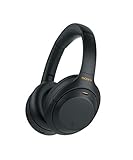
- Included: condenser microphone, stereo monitor speaker pair, closed-back headphones, cabling, recording software
- Power: bus-powered over USB-C, no separate supply required
Best overall: the PreSonus AudioBox USB 96 Studio Recording Bundle with Fender Studio Pro Software. It is the only pick in this roundup that pairs a full multitrack recording application with the interface, condenser microphone, headphones and cabling a vocalist needs to capture a finished take, which makes it the right answer both for a beginner who wants one purchase and for an intermediate singer who does not want to outgrow their software within a year. If the room is quiet and the budget is tight, the FIFINE K669B USB Microphone gets a first vocal recorded in minutes. If you want the most complete turnkey setup — interface, microphone, monitor speakers and headphones together — the Fender Quantum Complete Recording Bundle is the premium route. Everything else in this guide solves one specific problem: room reflections, real-time pitch correction, plugin-based editing, or hybrid XLR/USB flexibility.
The honest framing for 2026 is that “best vocal recording software” is really a question about the whole chain. The application you edit in is only one link. The interface sets your round-trip latency, the microphone and the room set your noise floor and your sibilance, and the software determines how fast you can comp eight takes into one. This roundup covers all three links and tells you which combination fits your situation.
Top 3 Picks
Best overall: PreSonus AudioBox USB 96 Studio Recording Bundle with Fender Studio Pro Software
A 2-in/2-out USB interface running 24-bit conversion up to 96 kHz, bundled with a large-diaphragm condenser, closed-back headphones, a mic cable and a full multitrack recording application. It is the shortest credible path from unboxing to a mixed vocal, and the interface stays useful after you upgrade the microphone.
Best budget: FIFINE K669B USB Microphone
A cardioid condenser that plugs straight into a USB port with no interface, no drivers and no phantom power. It will not give you multitrack inputs or a low-latency monitoring path, but it is the cheapest way to find out whether you actually enjoy recording vocals before you spend on a chain.
Best premium: Fender Quantum Complete Recording Bundle
The most complete single purchase here: a Quantum LT2 USB interface, microphone, a pair of monitor speakers, headphones and recording software. You get monitoring and playback in the same box, which matters more than most beginners expect, because you cannot judge a vocal take on laptop speakers.
Quick Comparison
Every product in this roundup, with the job it does best and the specification class that separates it from its neighbours. Price tiers are budget, mid-range and premium; listing prices move daily, so treat the tier as the signal and check current pricing before you buy.
| Product | Best for | Key specs | Price tier |
|---|---|---|---|
| Fender Quantum Complete Recording Bundle (Quantum LT2) | A complete studio in one purchase, with monitors | 2-in/2-out USB-C interface, combo XLR/TRS inputs, switchable +48 V phantom power, bundled condenser mic, stereo monitor speakers, closed-back headphones, recording software | Premium |
| TroyStudio Portable Vocal Booth (large foldable) | Cutting early reflections on a budget | Multi-panel folding isolation shield, high-density acoustic foam, stand-mount or desktop placement, folds flat for transport | Budget |
| MAONO A04 Gen2 XLR/USB Condenser Kit | Growing from USB into XLR without replacing the mic | Dual XLR and USB-C output, cardioid condenser capsule, kit includes boom arm, shock mount, pop filter and cable | Mid-range |
| FLAMMA FV01 Vocal Effects Processor | Live pitch correction and harmony in a pedal format | XLR microphone input with phantom power, pitch correction, harmony, reverb and delay, footswitch control, 9 V DC power, stompbox chassis | Mid-range |
| RDCMKL Portable Recording Booth | A premium portable booth for a dedicated vocal corner | Foldable enclosed booth, multi-layer acoustic absorption, desk or stand mounting, collapses for storage | Premium |
| FIFINE K669B USB Microphone | First recordings with zero setup | Cardioid USB condenser, class-compliant 44.1/48 kHz USB audio, body-mounted level control, metal housing, desk tripod included | Budget |
| BOMGE mini 2 Channel USB Audio Interface | Cheapest route to XLR and phantom power | 2-in/2-out USB interface, XLR combo inputs, +48 V phantom power, headphone and monitor outputs, bus-powered | Budget |
| TroyStudio Enclosed Vocal Booth | Maximum isolation from a portable, enclosed design | Enclosed foldable reflection filter with acoustic absorption, surrounds the mic rather than sitting behind it, stand-mounted | Budget |
| PreSonus AudioBox USB 96 Studio Bundle | Best overall software-plus-hardware starting point | 24-bit/96 kHz 2-in/2-out interface, 2 combo XLR/TRS inputs, +48 V phantom power, MIDI I/O, bundled condenser mic, headphones, multitrack DAW software | Premium |
| MixPad Multitrack Recording Software | Multitrack recording and mixing without a steep learning curve | Multitrack recorder with virtual mixer, VST plugin hosting in the higher edition, unlimited tracks in the top tier, export to common audio formats, Windows and macOS | Premium |
| Camola AVE-100 Vocal Effects Processor | One box for pitch correction, harmony, echo and reverb | Auto pitch correction, harmony generation, echo and reverb, smart anti-feedback, XLR microphone input, hardware unit with VocalEra processing | Mid-range |
| WavePad Audio Editing Software | Vocal editing, cleanup and mastering a single track | Destructive and non-destructive audio editor, VST plugin support, batch processing in the higher edition, wide format support, Windows and macOS | Mid-range |
How We Chose
Selections were made from published manufacturer specifications, documented software feature lists and category norms for home vocal recording, not from any form of physical evaluation. The criteria were applied in this order. First, specification honesty: an interface must state its conversion depth and sample rate, a microphone must state its polar pattern, and a piece of software must state whether it hosts VST plugins, because those three facts determine whether a product can do the job at all. Second, category fit: a vocal chain needs a capture device, a monitoring path and an editing application, and a product that solves none of those three is only worth including if it removes a specific obstacle such as room reflections or live pitch drift. Third, use case: live performance tools and studio editing tools were judged separately, because a pedal that corrects pitch in real time is not a substitute for an editor that fixes a flat note in a finished take. Fourth, upgrade path: products were favoured when they survive the next purchase — an interface with phantom power outlives a USB-only microphone, and a DAW that hosts plugins outlives a bundled effects suite. Fifth, total cost of ownership, including the cables, stands and acoustic treatment that the listing price does not include.
1. Fender Quantum Complete Recording Bundle – Best for a Turnkey Studio With Monitors
As an Amazon Associate we earn from qualifying purchases at no extra cost to you.

This is the pick for someone who wants to walk into a room, open one box, and have a functioning vocal studio by the end of the afternoon. The bundle centres on the Quantum LT2 USB interface, a two-input, two-output unit with combination XLR/TRS connectors and switchable +48 V phantom power, and surrounds it with the rest of the chain: a microphone, a pair of monitor speakers, headphones, and recording software. Nothing in the box is an afterthought, and that is the point.
Who it suits
It suits the singer-songwriter who records vocals over guitar or piano and needs to hear playback properly, the podcaster who wants a second input for a guest, and the beginner who has been told to “buy an interface and a mic” and would rather not assemble a chain from six separate purchases. It also suits anyone who has been recording on laptop speakers and has never heard how their voice actually sits in a mix.
Key specs
- Interface: Quantum LT2, 2-in/2-out USB-C, class-compliant operation
- Inputs: two combination XLR/TRS connectors, instrument-capable
- Phantom power: switchable +48 V for condenser microphones
- Monitoring: dedicated headphone output plus line outputs to the included speakers
- Included: condenser microphone, stereo monitor speaker pair, closed-back headphones, cabling, recording software
- Power: bus-powered over USB-C, no separate supply required
Strengths
The monitoring chain is the real differentiator. A vocalist cannot comp takes reliably without hearing the low mids, and the bundled speakers give you a reference that headphones alone do not. The interface also has phantom power and XLR inputs, so when you upgrade to a better condenser or a dynamic broadcast mic, the Quantum LT2 keeps working. Class-compliant USB-C operation means no driver installation on most modern systems, which removes the single most common beginner failure point. Because the bundle is a single SKU, all the small compatibility questions — cable types, speaker connections, whether the software will see the interface — are already answered by the manufacturer.
Pros
- Complete signal chain in one purchase, including monitor speakers
- +48 V phantom power and XLR inputs leave room for microphone upgrades
- USB-C bus power keeps the desk free of a wall wart
- Software included, so there is no second decision to make
Cons
- Premium tier — you pay for convenience and for speakers you may already own
- Two inputs is a ceiling if you later want to track a full drum kit or a band
- Bundled microphones in any kit are rarely the strongest element
- Monitor speakers need a treated or at least soft-furnished room to be useful
How it compares
The nearest alternative in this list is the PreSonus AudioBox USB 96 Studio Bundle. The PreSonus option is built around a 24-bit/96 kHz interface with MIDI input and output and a well-established recording application, and it is the better choice if you already own monitor speakers or plan to mix on headphones and studio monitors you have chosen yourself. The Fender bundle wins when you own nothing: it is the only pick here that includes playback monitoring, so a complete beginner can record and evaluate a take without a second purchase.
2. TroyStudio Portable Vocal Booth – Best for Cutting Room Reflections on a Budget

A large foldable microphone isolation shield. It is a five-panel-style arrangement of high-density acoustic foam that folds around the rear and sides of the microphone, and it is the cheapest meaningful upgrade you can make to a bad-sounding room.
Who it suits
Anyone recording in a bedroom with bare walls, a hard floor and a window. It suits the vocalist whose recordings sound “boxy” or “distant” despite a decent microphone, the podcaster in a shared flat, and the travelling musician who needs consistent tone in a different room every week. It also suits anyone who has already bought a USB microphone and discovered that the room is now the limiting factor.
Key specs
- Type: foldable multi-panel microphone isolation shield / reflection filter
- Absorption: high-density acoustic foam lining, several inches of depth
- Mounting: attaches to a microphone stand behind and around the mic, or sits on a desk
- Portability: folds flat for transport and storage
- Compatibility: microphone-agnostic — works with USB and XLR condensers alike
Strengths
The value here is disproportionate. Reflections arriving at the rear and sides of a cardioid capsule are the ones most likely to comb-filter a vocal, and a shield absorbs a large share of them before they reach the diaphragm. The result is a drier, more forward vocal that needs less corrective EQ and less noise reduction later. Because it folds, it costs you nothing in floor space and it travels. It also requires no power, no software and no driver, so it cannot conflict with anything in your chain. For a beginner, it is often a better second purchase than a microphone upgrade, because a better microphone in a bad room simply captures the bad room more accurately.
Pros
- Budget tier with an audible effect on vocal dryness
- No power, no drivers, no software conflicts
- Folds flat and travels easily
- Works with any microphone you already own
Cons
- Does not absorb low-frequency room modes — it will not fix a boomy room
- Cannot remove noise from outside, only reflections
- Placement matters; a badly angled shield does very little
- Adds bulk around the mic, which can crowd a small desk
How it compares
The direct alternative is the TroyStudio Enclosed Vocal Booth further down this list. The portable shield is the lighter, cheaper, more travel-friendly option and is the right first buy. The enclosed model surrounds the microphone rather than sitting behind it, which produces a drier result at the cost of a bulkier object and a more involved setup. If you record in one fixed spot and want maximum dryness, the enclosed version is worth the step up; if you move around or your desk is small, this one is the smarter buy.
3. MAONO A04 Gen2 XLR/USB Condenser Microphone Kit – Best for Growing From USB Into XLR

A dual-output condenser microphone kit that gives you both a USB-C connection and a conventional XLR output, supplied with the accessories that usually cost extra: a boom arm, a shock mount, a pop filter and a cable.
Who it suits
It suits the beginner who wants to start today without an interface, and the same person six months later who has bought an interface and wants to keep using the microphone they already know. That dual path is the entire argument for this kit. It also suits streamers and podcasters who want a boom-mounted mic off the desk and away from keyboard noise, and singers who need a pop filter because plosives are ruining otherwise good takes.
Key specs
- Capsule type: condenser, cardioid polar pattern
- Outputs: USB-C for direct computer connection, plus XLR for use with an audio interface
- USB audio: class-compliant at standard consumer sample rates (44.1/48 kHz)
- Included accessories: boom arm, shock mount, pop filter, connecting cable
- Mounting: threaded stand mount via the shock mount assembly
- Monitoring: USB operation requires monitoring through your computer or interface
Strengths
The accessory bundle is the practical win. A boom arm alone changes how a vocal sounds, because it removes the desk from the microphone’s pickup and lets you position the capsule at the correct angle and distance — typically six to eight inches off-axis for a condenser, with the pop filter two to three inches in front of the grille. The shock mount removes handling and footfall noise that would otherwise be baked into every take. And the dual output means the microphone does not become e-waste the day you buy an interface: you simply switch cables and gain a cleaner preamp path with phantom power.
Pros
- USB and XLR outputs in one microphone — no forced upgrade later
- Boom arm, shock mount and pop filter included
- Mid-range tier price for what is effectively a starter package
- Cardioid condenser captures vocal detail well in a treated space
Cons
- USB mode does not give you a hardware monitoring path with zero-latency direct monitoring
- Condenser capsules pick up more room than dynamic microphones do
- Bundled boom arms are usually the first component to wear
- Requires phantom power from an interface when used over XLR
How it compares
Against the FIFINE K669B, this kit costs more but buys you a mounting system, a shock mount, a pop filter and an XLR escape route. The K669B is the better pure-budget choice if you want to spend as little as possible and are recording at a desk; the MAONO A04 Gen2 is the better choice if you already know you will buy an interface and want one microphone to cover both phases. Against the BOMGE interface plus a separate XLR microphone, this kit is simpler and cheaper but gives you fewer input options and no dedicated preamp control.
4. FLAMMA FV01 Vocal Effects Processor – Best for Live Pitch Correction in a Pedal Format

A vocal stompbox: a footswitch-controlled hardware unit that takes a microphone in, applies pitch correction and harmony, adds reverb and delay, and sends the result out to a PA or an interface. It is a performance tool rather than an editing tool.
Who it suits
It suits the gigging singer who needs harmonies without a second vocalist, the worship or cover-band vocalist who wants consistent reverb from venue to venue, and the recording vocalist who wants to hear pitch-corrected monitoring while tracking so they can sing more confidently. It also suits anyone who wants pitch correction available without a laptop in the signal path.
Key specs
- Format: stompbox-style hardware unit with footswitch control
- Microphone input: XLR input with phantom power for condenser microphones
- Processing: pitch correction, harmony generation, reverb, delay
- Outputs: balanced outputs to a PA, mixer or audio interface
- Power: 9 V DC supply, standard pedalboard voltage
- Control: physical knobs for parameters, footswitch for engagement
Strengths
The decisive advantage of a hardware corrector is that it works while you sing. Software pitch correction in a DAW is applied after the fact, which is fine for a studio vocal but useless on stage. A pedal also removes the computer from the live chain entirely, which eliminates the most common cause of a gig going wrong. The reverb and delay sections mean a single box can replace two or three pedals, and the phantom-powered XLR input means you do not need a separate preamp. For recording, running the pedal into an interface lets you monitor a corrected signal while tracking, which many singers find makes them more accurate rather than less.
Pros
- Real-time correction and harmony, usable on stage
- No computer, no DAW, no plugin latency in the live path
- Phantom-powered XLR input works with condenser microphones
- Consolidates several effects into one pedalboard slot
Cons
- Not an editor — it cannot fix a note in an already-recorded take after the fact
- Hardware pitch correction is less surgical than a plugin with graphical editing
- Adds a conversion stage to the signal path, which some purists dislike
- Requires a 9 V supply and pedalboard space
How it compares
Its closest rival here is the Camola AVE-100, which also offers auto pitch correction, harmony, echo and reverb plus anti-feedback processing. The FLAMMA FV01 is the more pedalboard-native of the two — footswitch-first, standard 9 V power, built for live use. The Camola unit leans slightly more toward a desktop vocal processor with anti-feedback management, which is useful in a small room with a live microphone and a loud speaker. If you perform standing up, the FLAMMA is the more natural fit; if you record and stream from a desk, the Camola’s feedback handling is the more useful feature.
5. RDCMKL Portable Recording Booth – Best for a Premium Dedicated Vocal Corner

A foldable vocal booth built for a permanent or semi-permanent recording position. Where a reflection filter sits behind the microphone, this is a larger enclosed structure with multi-layer absorption that surrounds the recording position.
Who it suits
It suits the home recordist who has claimed a corner of a room and wants that corner to sound like a studio, the voiceover artist who records daily and needs repeatable tone, and the singer who has already upgraded their microphone and interface and has found that the room is now the weakest link. It also suits anyone who cannot modify a rented room with permanent acoustic panels.
Key specs
- Type: foldable enclosed vocal booth for home studio use
- Absorption: multi-layer acoustic treatment around the recording position
- Deployment: folds down for storage, opens to a defined recording volume
- Mounting: microphone stand or desk placement inside the enclosure
- Portability: relocatable between rooms without tools
- Power requirement: none — purely acoustic
Strengths
The gain here is consistency. A larger absorbing volume around the microphone reduces both the early reflections that cause comb filtering and the general “small room” character that makes home vocals sound amateur. Because it is foldable, it satisfies landlords and partners in a way that glued-on foam never will. It also improves the performance of inexpensive microphones dramatically, which is the counterintuitive part of home recording: a budget condenser in a well-damped space usually beats an expensive condenser in a bare one. The premium tier buys depth of absorption and structural rigidity, which translates into a lower noise floor and fewer resonances.
Pros
- Substantially drier vocal capture than a rear-mounted shield
- Foldable and non-permanent — no drilling, no adhesive
- Improves every microphone you put inside it
- No power, no software, no latency contribution
Cons
- Premium tier — the most expensive purely acoustic solution here
- Bulky when deployed; needs floor or desk space
- Can feel enclosed and warm during long sessions
- Still cannot remove low-frequency room modes or external noise
How it compares
Against the TroyStudio Enclosed Vocal Booth, this is the larger, more expensive, more serious version of the same idea. The TroyStudio enclosed model is a budget-tier enclosed reflection filter — excellent value, but a smaller absorbing volume. The RDCMKL booth is the pick when you record most days and want the room problem solved permanently rather than mitigated. If you record occasionally, the TroyStudio enclosed unit gets you most of the way for far less.
6. FIFINE K669B USB Microphone – Best Budget Plug-and-Play Vocal Mic

A cardioid USB condenser microphone in a metal body with a level control on the housing and a desk tripod in the box. There is no interface, no phantom power and no driver installation in the normal case: you plug it in and the computer sees an audio input device.
Who it suits
It suits the absolute beginner who wants to record a vocal this evening, the student in a dorm, the podcaster on a strict budget, and anyone who needs a second, portable microphone for travel or a backup. It is also the right choice for someone who is not yet sure whether recording is a hobby they will keep, because the entry cost is minimal.
Key specs
- Capsule type: condenser, cardioid polar pattern
- Connection: USB, class-compliant on Windows and macOS
- Sample rate: standard consumer USB audio rates (44.1/48 kHz)
- Controls: gain/level control on the microphone body
- Construction: metal housing
- Included: desk tripod stand and USB cable
- Monitoring: no direct zero-latency headphone output on the microphone
Strengths
Simplicity is the feature. There is nothing to configure, nothing to power, and no gain-staging chain to get wrong, which means the first recording session produces a file rather than a troubleshooting exercise. The cardioid pattern rejects the rear of the capsule reasonably well, so placing a soft furnishing behind the microphone — a curtain, a coat on a stand, a bookshelf — genuinely helps. The metal body survives being carried in a bag. And because it is class-compliant, it works on a laptop with no software installation at all, which makes it the ideal travel microphone.
Pros
- Budget tier with essentially zero setup friction
- Class-compliant USB — no drivers on modern systems
- Metal body and a level control on the housing
- Tripod included, so it works out of the box
Cons
- No XLR output, so it cannot grow with an interface purchase
- No direct hardware monitoring, so you sing against software latency
- Single microphone only — no second input for a guest or an instrument
- Desk tripods transmit keyboard and desk noise into the capsule
How it compares
The obvious alternative is the MAONO A04 Gen2 kit. The FIFINE K669B is cheaper and simpler and remains the better first microphone if your goal is to record one voice at a desk. The MAONO kit costs more but adds a boom arm, a shock mount, a pop filter and an XLR output, so it is the better buy the moment you suspect you will want an interface. If you are choosing between them, ask one question: will you still be using this microphone in two years? If yes, spend the extra; if you genuinely do not know, buy the FIFINE and put the difference toward acoustic treatment.
7. BOMGE mini 2 Channel USB Audio Interface – Best Budget Route to XLR and Phantom Power

A compact two-channel USB interface with combination XLR inputs, switchable +48 V phantom power and headphone and monitor outputs. It is the cheapest way in this roundup to move from a USB microphone to a proper XLR condenser or dynamic microphone.
Who it suits
It suits the recordist who already owns an XLR microphone, the podcaster who wants two inputs for a host and a guest, the streamer who wants a hardware gain knob instead of a software slider, and the guitarist or pianist who wants to record an instrument and a vocal at the same time.
Key specs
- Inputs: two combination XLR/TRS inputs with individual gain control
- Phantom power: switchable +48 V for condenser microphones
- Outputs: headphone output with level control, plus line outputs for monitors
- Connection: USB, bus-powered
- Conversion: standard class-compliant USB audio rates
- Monitoring: direct hardware monitoring for a low-latency headphone feed
Strengths
Direct monitoring is the reason to buy an interface at all, and it is what separates this from a USB microphone. When you monitor through the interface rather than through the computer, you hear your own voice essentially immediately, and that single change improves pitch accuracy more than any plugin. The +48 V phantom power opens up the entire world of condenser microphones. Two inputs mean you can record a vocal and a guitar simultaneously, or a two-person podcast, without a mixer. And the physical gain knobs let you set levels by feel, which is faster and more reliable than dragging a software fader while you are trying to sing.
Pros
- Budget tier, and the cheapest path to XLR and phantom power here
- Direct hardware monitoring eliminates software monitoring delay
- Two inputs allow a guest or an instrument
- Bus-powered and compact — fits a small desk
Cons
- Budget conversion and preamps are the first thing you outgrow
- No MIDI, and usually no digital expansion
- Compact housings offer fewer metering and routing options
- Does not include a microphone, so it is not a complete starting point
How it compares
Against the PreSonus AudioBox USB 96 bundle, this is the minimalist version of the same idea: you get the interface and the direct monitoring, but not the 24-bit/96 kHz conversion, the MIDI ports, the microphone, the headphones or the DAW software. That makes it the correct choice if you already own a microphone and headphones and simply need a preamp, and the wrong choice if you own nothing. Against the MAONO A04 Gen2 kit, the BOMGE gives you two inputs and hardware monitoring but no microphone, so the two purchases are complementary rather than competing.
8. TroyStudio Enclosed Vocal Booth – Best for Enclosed Isolation on a Budget

An enclosed, foldable microphone isolation shield and reflection filter. Unlike a rear-mounted shield, it forms a partial enclosure around the microphone so that reflections from the front and sides are absorbed as well as those from behind.
Who it suits
It suits the vocalist in a small, hard-surfaced room who needs a drier sound than a rear shield provides but does not want to spend premium money, and the podcaster who records in a room with a window directly in front of the microphone. It also suits the home recordist who wants a booth that folds away into a cupboard between sessions.
Key specs
- Type: enclosed foldable microphone isolation shield / reflection filter
- Absorption: acoustic foam lining arranged around the microphone position
- Mounting: microphone stand mounted, with the microphone positioned inside the enclosure
- Portability: folds for storage and transport
- Compatibility: works with any stand-mounted microphone
- Power requirement: none
Strengths
The enclosure geometry is the advantage. A cardioid microphone rejects most of what arrives from behind, but the reflections that cause the most audible damage in a small room frequently arrive from the front and sides — a wall, a window, a monitor screen. By absorbing in those directions too, an enclosed filter produces a noticeably drier vocal than a rear-only shield, which means less corrective EQ, less de-essing and less noise reduction in the edit. At the budget tier, it is arguably the highest-value acoustic purchase in this entire roundup, because it improves the performance of every microphone you will ever plug in.
Pros
- Budget tier with an effect you can hear on the very first take
- Enclosed geometry absorbs front and side reflections, not just rear ones
- Folds away for storage in small flats
- Microphone-agnostic and completely passive
Cons
- Smaller absorbing volume than a premium booth
- Cannot reduce low-frequency room modes or outside noise
- Enclosed designs can add a slight boxy colouration if placed too tightly
- Takes a minute or two to position correctly around the microphone
How it compares
Against the TroyStudio Portable Vocal Booth (the large foldable shield), this enclosed model is the drier of the two and the better choice for a fixed recording position in a reflective room. The portable shield remains the better travel option and the easier one to position around a desk-mounted microphone. Against the premium RDCMKL Portable Recording Booth, this is the value pick: it delivers most of the dryness for a fraction of the commitment, and only falls short if you record daily and want the largest possible absorbing volume.
9. PreSonus AudioBox USB 96 Studio Bundle – Best Overall Vocal Recording Package

A 24-bit/96 kHz two-input, two-output USB audio interface bundled with a large-diaphragm condenser microphone, closed-back headphones, a microphone cable and a full multitrack recording application in the Fender Studio Pro lineage. It is the most balanced answer in this guide to the question of what to buy first.
Who it suits
It suits the beginner who wants a real recording application rather than a stripped-down one, the singer who intends to record vocals over backing tracks and mix them properly, the podcaster who wants two microphone inputs, and the intermediate user who wants an interface with MIDI so a keyboard can be added later. It is also the safest recommendation for someone who does not yet know what kind of recording they will end up doing.
Key specs
- Interface: AudioBox USB 96, 2-in/2-out, 24-bit conversion up to 96 kHz
- Inputs: two combination XLR/TRS microphone and instrument inputs
- Phantom power: switchable +48 V
- MIDI: 5-pin MIDI input and output for keyboards and controllers
- Connection: USB, bus-powered, metal chassis
- Included: large-diaphragm condenser microphone, closed-back headphones, microphone cable, multitrack recording software
- Monitoring: direct hardware monitoring with mixer control
Strengths
Three things make this the overall pick. First, the interface specification is genuinely useful rather than nominal: 24-bit/96 kHz conversion gives you headroom and detail that budget class-compliant interfaces do not, and the metal chassis survives being moved. Second, the software is a full multitrack recording application with plugin hosting, not a cut-down demo, which means the comping, pitch correction and editing workflows described in the next section are all available to you from day one. Third, the bundle closes every gap in the chain at once: interface, microphone, headphones, cable and software. The microphone is the weakest element and the first thing to upgrade, but it is entirely usable, and because the interface accepts XLR and provides phantom power, replacing it later costs nothing but the price of the new microphone.
Pros
- 24-bit/96 kHz conversion and MIDI I/O on the interface
- Full multitrack recording software with plugin support included
- Direct hardware monitoring for accurate pitch while tracking
- Metal chassis and a clear upgrade path to better microphones
- Everything needed to record a vocal is in the box
Cons
- Premium tier, and more than a beginner strictly needs to start
- No monitor speakers included, unlike the Fender Quantum bundle
- The bundled condenser is the first component you will want to replace
- Two inputs is a limit for tracking a full band
How it compares
Against the Fender Quantum Complete Recording Bundle, the trade is speakers versus specification and software depth. The Fender bundle gives you playback monitoring and a USB-C interface; the PreSonus bundle gives you 24-bit/96 kHz conversion, MIDI ports and a more established multitrack application. If you already own decent headphones and can mix on them for now, the PreSonus package is the stronger foundation. If you have nothing to listen on, the Fender bundle saves you a purchase. Against the BOMGE mini interface plus a separate microphone, the PreSonus bundle is more expensive but removes three separate buying decisions and gives you software you will not outgrow in a year.
10. MixPad Multitrack Recording Software – Best for Multitrack Recording and Mixing
![MixPad Multitrack Recording Software for Sound Mixing and Music Production [Download]](https://m.media-amazon.com/images/I/71ltIxIuz1L._SL160_.jpg)
A multitrack recording and mixing application for Windows and macOS built around a virtual mixing desk: you arm tracks, record takes, arrange them on a timeline, apply effects and export a finished mix. It is designed to be learnable in an afternoon, which is its central design decision.
Who it suits
It suits the vocalist who records over backing tracks and needs a straightforward way to layer harmonies, the podcaster who wants to edit a two-track conversation, and the beginner who has opened a professional DAW and closed it again within ten minutes. It also suits the songwriter who wants to capture ideas quickly without managing a complex project template.
Key specs
- Platform: Windows and macOS
- Core function: multitrack recording, arrangement and mixing with a virtual mixer
- Plugin support: VST plugin hosting in the higher editions
- Track count: effectively unlimited in the top tier; the free tier is limited
- Effects: bundled EQ, compression, reverb and delay processing
- Export: mixdown to common audio formats including WAV and MP3
- Extras: MIDI support and video-sync features in the fuller editions
Strengths
The interface is deliberately shallow, and that is a legitimate engineering choice rather than a limitation to apologise for. A vocalist who wants to record eight harmony layers, pan them, add reverb and export an MP3 does not need a routing matrix. MixPad’s mixer metaphor — faders, mute, solo, pan — maps onto what a musician already understands from a physical desk, which shortens the learning curve dramatically. VST support in the higher editions means you can add a third-party pitch correction or channel strip plugin when you need one, so the software does not become a dead end. And because the workflow is linear, you spend your session recording rather than configuring.
Pros
- Genuinely short learning curve for a multitrack recorder
- VST plugin support in the higher editions allows third-party tools
- Runs on ordinary laptops without demanding hardware
- Handles vocal layering, podcast editing and simple music production in one app