
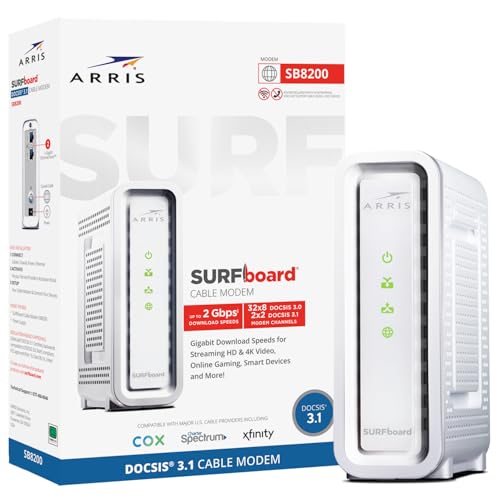
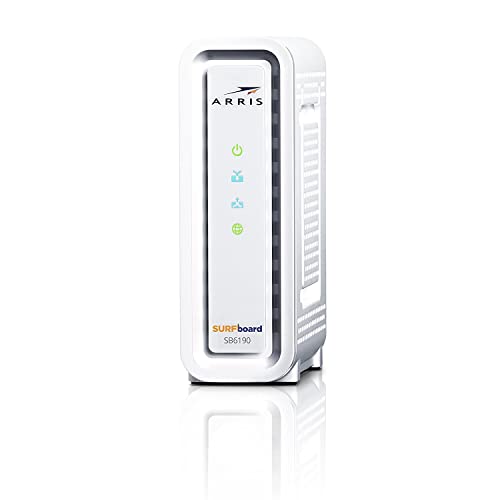
For a cable internet plan up to about one gigabit, the Arris SurfBoard SB8200 is the model reviewers recommend most often for broad provider compatibility, while households on multi-gig plans or wanting stronger upload headroom are pointed toward the Netgear CM3000 or the Motorola MB8611, and newer successors such as the Arris S33 and S34 and the Motorola B12 are worth considering if you want the latest hardware.
A cable modem converts your provider’s coaxial signal into Ethernet. Owning one can avoid a monthly rental fee, but only if your provider approves the model for your plan. Reviewers do not agree on a single winner, so this guide compares the models that appear most often, explains the specs that matter, and flags what to confirm with your provider before buying.
Our top picks


As an Amazon Associate we earn from qualifying purchases at no extra cost to you.
At a Glance: Cable Modems Compared
| Model | Best for | Key stated or reported specs | Limits |
|---|---|---|---|
| Arris SurfBoard SB8200 | Plans up to one gigabit, broad provider support | DOCSIS 3.1, two 1 GbE ports, two-year warranty reported by one outlet; reviewers say it is on several large providers’ approved lists | No multi-gig port; older design |
| Motorola MB8611 | Multi-gig plans at a lower cost, low latency | DOCSIS 3.1 with 2.5 GbE port and built-in active queue management according to reviewers | Successor B12 now available; check provider approval |
| Netgear CM3000 | Fast upload and multi-gig plans | Reviewers cite mid and high-split support, a 2.5 GbE port, link aggregation and approval for plans up to 2.5 Gbps | Premium tier |
| Netgear CM1200 | Power users on gigabit-plus plans | One guide lists up to 2 Gbps, four 1 GbE ports and link aggregation | Little coverage in other roundups |
| Arris SURFboard S33 and S34 | Newer multi-gig buyers | Appear at the top of several 2026 lists | Confirm provider approval and port specs on the maker’s page |
| Motorola B12 | Buyers wanting the MB8611 successor | Described by reviewers as Motorola’s direct successor | Newer, fewer long-term reports |
Specs That Matter
DOCSIS version
DOCSIS 3.1 is the standard for customer-owned cable modems in 2026. DOCSIS 3.0 modems still exist, but they cap speeds well below gigabit plans and some providers are retiring older models. DOCSIS 3.1 supports higher speeds and better efficiency. Check that your plan tier and the modem’s maker-listed maximum line up.
Ethernet ports
Most gigabit plans run fine through a single 1 GbE port. Plans above one gigabit need a 2.5 GbE port, link aggregation or a multi-gig router, otherwise the port becomes the bottleneck. Models like the Motorola MB8611 and Netgear CM3000 offer 2.5 GbE ports, but your router must also support that speed for it to matter.
Upload and splits
Some providers are moving to mid-split or high-split networks to increase upload speeds. Reviewers note the CM3000 lists mid and high-split support, which can matter for future upgrades. Ask your provider which split your area uses.
Latency features
Active queue management, which reviewers say the MB8611 includes, is aimed at reducing lag under load. Benefit varies and depends on the network.
Voice and combos
The models above are data-only. If you need a phone line from your provider, you need a modem with telephone ports, which usually must be a provider-approved model.
Provider Compatibility
Large cable providers publish approved modem lists, and a modem that is not approved may not activate or may be limited in speed. Reviewers report the SB8200 appears on several major providers’ lists as of 2026, but lists change. Before buying, look up your provider’s current approved list on its own site, confirm your plan speed and ask whether your area has high-split or multi-gig service. Be aware that provider-supplied gateways combine modem and router, while a standalone modem needs a separate router.
Standalone Modem Versus Gateway
- Standalone modem plus your own router: More control, better Wi-Fi upgrade options, and typically the best approach if you want to avoid rental fees.
- Combo gateway: One box, simpler to set up, but less flexible. If you buy a combo, confirm the Wi-Fi standard and port speeds on the maker’s page.
Budget Tiers
- Budget: The Arris SB8200 for gigabit and below, and the Motorola MB8611 if you want 2.5 GbE for less than the top tier.
- Mid-range: Motorola MB8611 and B12, Arris S33 and S34.
- Premium: Netgear CM3000 and CM1200, for multi-gig plans and upload headroom.
Pick X If… Decision Table
| Pick this | If you |
|---|---|
| Arris SB8200 | Have a plan up to one gigabit and want broad compatibility |
| Motorola MB8611 or B12 | Want a 2.5 GbE port and low-latency features at a moderate cost |
| Netgear CM3000 | Have a multi-gig plan or want upload headroom |
| Netgear CM1200 | Want several Ethernet ports and link aggregation |
| Arris S33 or S34 | Prefer the newest hardware and your provider supports it |
Setup and Troubleshooting Notes
- Confirm the modem is approved by your provider for your plan.
- Connect the coax cable, then power on and wait for the lights to settle.
- Activate through the provider’s activation process, often via an app or website.
- Connect your router to the modem’s Ethernet port and restart both.
- If speeds seem low, check cable quality, splitters, and call the provider to review signal levels.
Use a short, quality coax line, minimize splitters, and keep ventilation clear around the modem. If your signal levels are poor, the provider may need to service the line regardless of which modem you own.
Alternatives
- Provider-rented gateway. Simplest, but ongoing fees often add up over time.
- Fiber or fixed wireless. If available, these are separate services with their own equipment.
- Mesh Wi-Fi systems. Pair a standalone modem with a mesh router for whole-home coverage.
How Much Speed Do You Actually Need?
The fastest modem does not help if your plan or router cannot use it. A household on a mid-tier plan of a few hundred megabits will see little difference between an SB8200 and a multi-gig model, and a good router matters more for Wi-Fi coverage than the modem does. Buyers on gigabit plans benefit from a modem that handles the plan with headroom, because real-world throughput is lower than the headline number and the modem must keep up when many devices are active.
If you expect to upgrade to a multi-gig plan within a few years, a modem with a 2.5 GbE port can save you from buying twice, though you will also need a router with a matching port. Households that work from home, upload large files or run home servers may care about upload speeds and mid-split or high-split support. Gamers and video callers often care about latency features and a steady connection, which depends on signal quality as much as hardware.
Keep the warranty and software support in mind. Makers generally list a warranty period, and firmware updates for customer-owned modems are usually pushed by the provider rather than by the owner. If a provider drops support for a model, the modem can lose activation, so buying a current-generation model reduces that risk.
Finally, think about placement. Keep the modem in a ventilated spot, away from heat sources, and use quality coax with tight connectors. Replace old splitters, and remove unused ones, since they degrade the signal. A surge protector rated for coax and power is a sensible precaution against storms.
Common Buying Mistakes
The most frequent mistake is buying a modem that the provider does not support, which can leave the device unusable. Confirm the approved list first. Another is paying for multi-gig hardware on a plan that tops out well below it, or pairing a 2.5 GbE modem with a router that only has gigabit ports. A third is expecting a new modem to fix poor Wi-Fi, when the cause is often router placement or interference. Some buyers purchase a combo gateway and later discover that its Wi-Fi is dated. Others forget that a phone line from the provider needs a voice-capable approved modem. Finally, a modem cannot cure a weak signal on the line: if levels are poor, ask the provider for a technician visit before replacing hardware, and keep the original box and receipt in case a return is needed.
Frequently Asked Questions
Do I need DOCSIS 3.1?
For gigabit plans, yes. DOCSIS 3.0 modems cap speeds lower, and DOCSIS 3.1 is the standard for owned modems in 2026 according to reviewers.
Will any modem work with my provider?
No. Providers publish approved lists, and a modem not on the list may not activate or reach full speed. Always confirm on your provider’s site.
Do I need a router as well?
A standalone modem does not provide Wi-Fi, so you need a router or mesh system. Choose one that supports your plan’s speed.
Is a 2.5 GbE port necessary?
Only for plans above one gigabit, and only if your router also has a matching port. For slower plans it adds cost without benefit.
What is a mid-split or high-split network?
It is a network design that increases the share of bandwidth for uploads. Ask your provider whether your area uses it and whether your modem supports it.
How long do cable modems last?
Many last for years, but providers can retire older models from approved lists. Look at the maker’s warranty, such as the two-year warranty reported for the SB8200, and the provider’s support policy.
More from Amazon
Programs that pair well with the guide above. Offers and eligibility are set by Amazon and may change.
Free shipping on eligible items, Prime Video and more. Eligible new members can start with a free trial.
Start a Prime free trialAudiobooks and podcasts to listen to on the go. Eligible new members can start with a free trial.
Try Audible freeAd-free music streaming. Eligible new subscribers can start with a free trial.
Try Music Unlimited freeA free business account with business pricing and bulk-buying tools for work, shop or home office.
Create a business accountAs an Amazon Associate we earn from qualifying purchases.









