Key takeaways
- A 32-inch smart TV lives in the rooms where big screens do not belong: the kitchen counter, a teenager's bedroom, a dorm, a guest room.
A 32-inch smart TV lives in the rooms where big screens do not belong: the kitchen counter, a teenager’s bedroom, a dorm, a guest room, the corner of a home office. The decision is not about cinematic contrast. It is about resolution, because most sets at this size are still sold at 720p, and about which smart platform you can stand to use every day. A buyer who sits three or four feet from a 32-inch screen will see the difference between HD and Full HD far more clearly than a buyer across a living room would.
The seven sets below were picked for that small-room decision, and each judgment comes only from what the listing title says. They span Roku, Fire TV, Samsung’s Tizen and two Hisense approaches, and they include both HD and Full HD panels so you can see what the upgrade buys. A renewed unit and a second Roku 720p listing were left out as near-duplicates, which keeps the list tight for anyone shopping the 32-inch category in 2026.
Quick Picks
Our top picks




As an Amazon Associate we earn from qualifying purchases at no extra cost to you.
| Product | Best for | Key spec from the title |
|---|---|---|
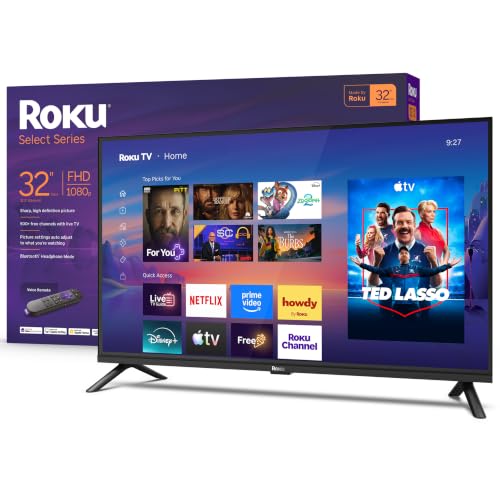
| Roku 32-Inch Select Series | Easiest menus at Full HD | 1080p Full HD, Bluetooth Headphone Mode |
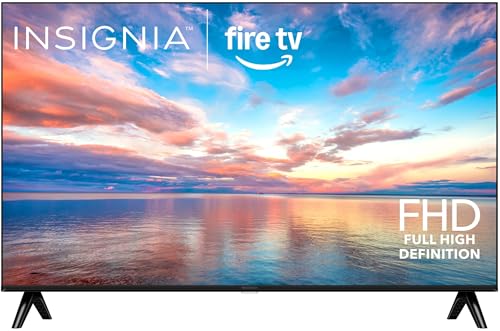
| Insignia 32-Inch FE Series | Alexa households on a budget | Full HD LED, Fire TV, Alexa voice remote |
| Samsung 32-Inch H5000F | Basic HD for secondary rooms | HD, HDR, Knox Security, Tizen |
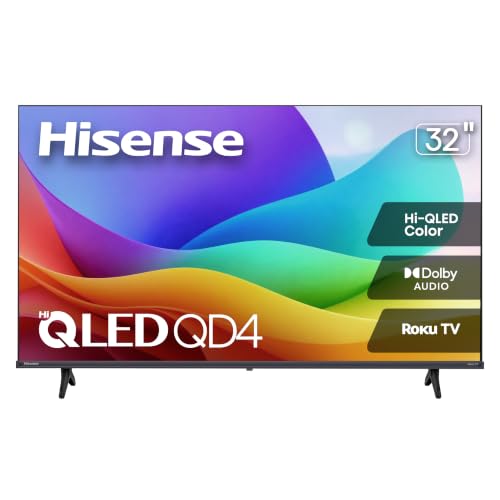
| Hisense 32-Inch QD4SR | Color on a small screen | Hi-QLED HD, Roku TV, Full Array LED |
| Ember 32-Inch 2-Series | Fire TV with ambient display | HD, Alexa Remote, Dolby Audio |
| Samsung 32-Inch F6000 | Full HD from a major brand | Full HD, HDR, Object Tracking Sound Lite |
| Hisense 32-Inch QD4SV | Casual gaming and sports | Hi-QLED HD, DTS Virtual:X, Game Mode |
How to Choose
HD versus Full HD
The first thing to check is whether the title says 720p/HD or 1080p/Full HD. At 32 inches viewed from a desk or bed, Full HD looks visibly crisper on text, menus and sports scoreboards. HD is perfectly watchable from across a kitchen. Sellers also list the same model name with both resolutions, as with the Roku Select Series, so read the resolution in the title carefully before you buy. When two listings look identical apart from a small label, the resolution is usually the difference, and it is the one that affects what you see every day.
Smart platform
Roku TV offers the plainest interface, Fire TV is built around Alexa voice search, Samsung’s Tizen leans on its own app store, and Hisense’s VIDAA is lighter but has fewer apps. Check that the streaming services you use are available on the platform. For a bedroom or kitchen TV, startup speed and menu simplicity matter more than any spec. Think about who will use it: a child or a grandparent will do better with a plain grid of apps than with a feature-heavy home screen.
Sound and extras
Small TVs have tiny speakers, so look for Dolby Audio or DTS Virtual:X in the title and plan on a small soundbar if dialogue matters. A Bluetooth headphone mode, which the Roku listings mention, is a practical feature for late-night viewing in a shared home. Ignore AI picture labels at this size; they have little room to matter.
Gaming and where budget models cut corners
A 32-inch set can serve a console or a streaming stick, but check that it lists a game mode and enough HDMI inputs. Budget models usually offer two or three HDMI ports and a 60Hz panel, and they cut corners on brightness and viewing angle. Do not expect Mini LED-style contrast here; compare sets on resolution, platform and sound instead. Viewing angle also matters in small rooms, because a TV on a dresser is often watched from the side of the bed.
The 7 Best Options
Roku 32-Inch Select Series
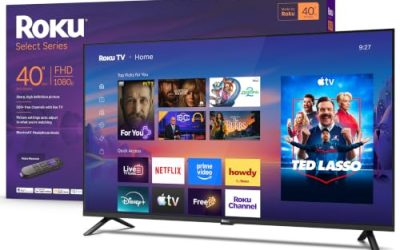
This listing is the 1080p Full HD version of the Roku Select Series, with a voice remote, Wi-Fi and Bluetooth headphone mode. It is built for people who want a TV that is simple to operate and who care about a sharp picture at close range, such as in a bedroom or a small home office. A second Roku listing at 720p also exists, so double-check the resolution on the page you are buying from.
- Strength: Full HD resolution is stated in the title, which is unusual at 32 inches.
- Strength: the Roku interface is plain, fast and easy for any family member.
- Trade-off: the title mentions no HDR format or special audio technology.
Skip it if you want an Alexa-based platform or stronger built-in sound.
Insignia 32-Inch FE Series
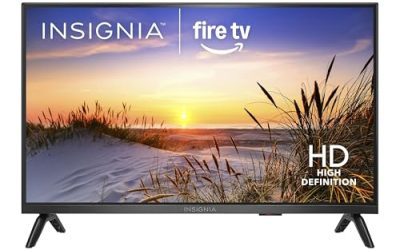
The FE Series is a Full HD LED smart TV running Fire TV with an Alexa voice remote and the ability to stream live TV without cable. It suits budget buyers who already use Alexa speakers and want the TV to join the same voice routine. It is also a sensible choice for a kitchen counter, where voice commands help when your hands are busy.
- Strength: Full HD resolution plus Fire TV apps at the budget tier.
- Strength: Alexa voice search makes finding shows easy.
- Trade-off: the title lists no HDR format or advanced audio feature.
Skip it if you prefer the Roku interface or want better built-in sound.
Samsung 32-Inch H5000F
The H5000F is an HD smart TV with HDR, Object Tracking Sound Lite, Knox Security and the One UI Tizen platform. It is a plain, dependable secondary-room set from a major brand, and the Knox Security mention will appeal to anyone cautious about connected devices. In a guest room or a child’s room, a set with few moving parts and a familiar brand tends to cause fewer questions.
- Strength: HDR and Object Tracking Sound Lite add features beyond the barest sets.
- Strength: Samsung’s Tizen platform includes a broad app selection.
- Trade-off: HD resolution means less sharpness at close range than the Full HD models.
Skip it if you sit close to the screen and care about text clarity.
Hisense 32-Inch QD4SR
This Hisense is a Hi-QLED HD smart Roku TV with Hi-QLED color, Dolby Audio, Alexa compatibility and Full Array LED backlighting. It targets buyers who want richer color from a small set and the Roku interface at the same time. The Full Array LED mention hints at a more even backlight than the cheapest edge-lit panels, which matters on a screen this small.
- Strength: Hi-QLED color and Full Array LED are rare features at 32 inches.
- Strength: Roku TV plus Dolby Audio makes for easy menus and better sound.
- Trade-off: the panel is HD, not Full HD, so fine text is less sharp.
Skip it if resolution matters more to you than color.
Ember 32-Inch 2-Series
The 2-Series is an HD smart TV with Fire TV, an Alexa remote, fast streaming, Dolby Audio and an Ambient Experience mode, plus free and live TV options. It is a fit for kitchens and bedrooms where the screen can double as a display when idle. Buyers who value fast streaming and voice control over resolution will find it covers the basics at the budget tier.
- Strength: Dolby Audio and the Alexa remote are both stated in the title.
- Strength: Ambient Experience gives the screen a purpose when you are not watching.
- Trade-off: HD resolution only, and no HDR format is listed.
Skip it if you want Full HD or an interface other than Fire TV.
Samsung 32-Inch F6000
The F6000 is the Full HD sibling to the H5000F, with HDR, Object Tracking Sound Lite, Knox Security and the One UI Tizen platform. It suits buyers who like Samsung’s interface and want the sharper resolution that Full HD brings. If you sit near the screen, as many people do with a 32-inch set, that resolution difference is easy to notice on menus and subtitles.
- Strength: Full HD resolution and HDR in a small set.
- Strength: Object Tracking Sound Lite is aimed at better audio from small speakers.
- Trade-off: it likely costs more than the HD Samsung, so the extra needs to matter to you.
Skip it if you only need a basic screen for a guest room.
Hisense 32-Inch QD4SV
The QD4SV is a Hi-QLED HD smart TV running VIDAA, with DTS Virtual:X, Alexa support, a Game Mode and an AI Sports Mode. It aims at casual gamers and sports viewers who want a few extras on a compact screen. A dorm room or a teenager’s bedroom, where the TV serves a console one hour and a ball game the next, is the natural setting.
- Strength: Game Mode and AI Sports Mode are both named in the title.
- Strength: DTS Virtual:X helps small speakers sound fuller.
- Trade-off: VIDAA has a smaller app library than Roku or Fire TV, and the panel is HD.
Skip it if you depend on a long list of streaming apps.
Which One Fits Your Situation
You want the simplest TV for a bedroom
The Roku Select Series in Full HD keeps menus plain and the picture sharp at close range, and it adds headphone mode for late nights. It is also the least likely to frustrate a guest who just wants to find a channel.
Your home runs on Alexa
The Insignia FE Series gives you Full HD with Fire TV, while the Ember 2-Series adds Dolby Audio and the ambient display in HD.
You want color or extras for sports and games
The Hisense QD4SV offers Game Mode and AI Sports Mode, and the QD4SR brings Hi-QLED color with the Roku interface.
You prefer a major brand with Full HD
The Samsung F6000 is the pick, with HDR and Object Tracking Sound Lite on top of the sharper resolution. Choose it over the H5000F when the screen will be near your face, such as on a desk or a nightstand.
Common Mistakes
- Assuming every 32-inch TV is Full HD, when many are 720p.
- Ignoring the smart platform and finding out later that a favorite app is missing.
- Relying on tiny built-in speakers for dialogue-heavy shows.
- Buying a renewed unit without checking return terms and warranty coverage.
- Counting HDMI ports too late and running out when a console and soundbar both need one.
Specs and Terms Explained
720p, 1080p, and Why Distance Matters
The pixel count only becomes visible when you sit close. On a kitchen counter or a nightstand, a 720p picture of a streaming menu can look slightly soft, while a 1080p panel keeps small text crisp at the same range. If the screen will be within a few feet of your face, treat 1080p as the more comfortable choice; if it hangs across a room, 720p is usually acceptable for casual viewing.
Refresh Rate
Most 32-inch sets run at 60Hz, meaning the screen redraws sixty times a second. That is enough for television and streaming. Higher figures you may see in marketing, such as “motion rate” numbers, often describe backlight tricks or processing, not a true faster panel, so do not let them decide the purchase.
HDR on a Small Screen
A badge saying HDR or HDR10 on a 32-inch panel means the set can read the signal, not that it will look dramatic. Small budget panels rarely have the brightness to show much difference, so treat it as a bonus, not a reason to pay more.
Built-In Speakers
Small cabinets leave little room for sound hardware. If dialogue matters, check whether the set has an audio output or Bluetooth for a small speaker.
Sizing and Compatibility Checklist
- Measure the shelf depth and width; the feet of a small TV are often closer together than the frame, which matters on narrow counters.
- Check the wall pattern. Small screens usually follow a modest VESA spacing, but compare the number on the spec sheet with your bracket before buying either.
- Confirm you have an HDMI input free for a console, a laptop, or a streaming stick, and note whether there is a separate headphone or optical audio output.
- In a dorm or guest room, find out if the room has a coaxial jack, since the tuner is useless without one and you will rely entirely on apps.
- If your Wi-Fi is the weak point, see whether the set supports the 5GHz band, which is usually faster at short range.
Who Should Skip a 32-Inch Smart TV
Anyone planning to watch from a couch more than eight feet away will find this size cramped, and a larger set is easy to fit and will be easier to watch. Gamers who want a sharp image from a console may be happier with a small monitor, which generally offers lower delay and better pixel density. And if you rarely use streaming apps, a basic non-smart screen with a plugged-in stick can avoid the dated menus that small TVs sometimes receive.
Related guides
- Sony Wh-1000Xm5 Vs Bose Quietcomfort Ultra Headphones
- Carbon Fiber Folding Electric Wheelchairs
- Bose Quietcomfort Ultra Vs Bose 700 Headphones
Frequently Asked Questions
Is Full HD worth it on a 32-inch TV?
If you sit within five feet or use the TV as a monitor, yes. For a kitchen set viewed from across the room, HD is usually good enough.
Can I use a 32-inch smart TV as a computer monitor?
You can, and Full HD models handle text better. Check that the TV offers a game or PC mode and that its HDMI input matches your computer.
Which platform has the most apps?
Roku, Fire TV and Samsung’s Tizen all carry the major streaming services. Hisense’s VIDAA has fewer apps, so confirm yours are supported.
Do I need a soundbar?
Not required, but small speakers are limited. A compact soundbar improves dialogue clarity noticeably, especially in a larger room, and even an inexpensive one usually beats the built-in speakers on a 32-inch cabinet.
More from Amazon
Programs that pair well with the guide above. Offers and eligibility are set by Amazon and may change.
Free shipping on eligible items, Prime Video and more. Eligible new members can start with a free trial.
Start a Prime free trialAudiobooks and podcasts to listen to on the go. Eligible new members can start with a free trial.
Try Audible freeAd-free music streaming. Eligible new subscribers can start with a free trial.
Try Music Unlimited freeA free business account with business pricing and bulk-buying tools for work, shop or home office.
Create a business accountAs an Amazon Associate we earn from qualifying purchases.