
Key takeaways
- Choose the Galaxy Watch8 for the broadest everyday experience with a Samsung phone, the Pixel Watch 3 for Google-first use, and the OnePlus Watch 3 when Wear OS apps and multi-day battery are equally important. Choose the Garmin Venu 3 for fitness-focused ownership and the…
Best Smartwatches for Android Phones
The best smartwatch for Android phones is the Samsung Galaxy Watch8 for most Samsung owners, the Google Pixel Watch 3 for Pixel users who value Google services, and the OnePlus Watch 3 for shoppers who want long battery life without giving up Wear OS apps.
Android compatibility is not uniform. A watch may pair with many Android phones but still reserve features—such as ECG, blood-pressure monitoring, camera controls, or advanced health insights—for particular phone brands, regions, or companion apps. Before buying, check the required Android version, whether Google Mobile Services are installed, and which functions work outside the manufacturer’s ecosystem.
Our top picks


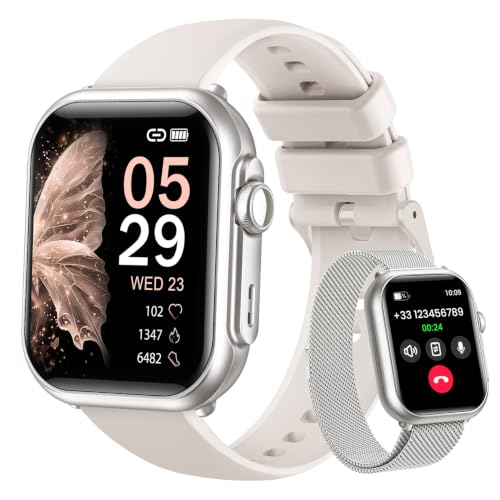

As an Amazon Associate we earn from qualifying purchases at no extra cost to you. Ratings are shown as listed on Amazon.
Quick comparison
| Watch | Best for | Phone compatibility | Typical battery claim | Approximate weight and size | App platform |
|---|---|---|---|---|---|
| Samsung Galaxy Watch8 | Samsung users and general-purpose Wear OS | Android 11 or later; some health features work best with Samsung phones | Up to about 40 hours, depending on display and health settings | Approximately 30–34g without the strap; 40mm or 44mm cases | Wear OS with Google Play |
| Google Pixel Watch 3 | Pixel users and Google-first notifications | Android 10 or later; iPhone is not supported | About 24 hours with always-on display; longer with battery-saver modes | Approximately 31–37g without the strap; 41mm or 45mm cases | Wear OS with Google Play |
| OnePlus Watch 3 | Long battery life with full Wear OS apps | Android phones; some functions are optimized for OnePlus devices | Up to roughly 5 days in power-saving use; around 3–5 days in mixed use | Approximately 49g without the strap; about 46mm case | Wear OS plus a low-power secondary system |
| Garmin Venu 3 | Fitness, sleep, and fewer charging interruptions | Broad Android compatibility through Garmin Connect | Up to about 14 days in smartwatch mode; less with GPS and calls | Approximately 40g with standard strap; 45mm case | Garmin Connect IQ |
| Amazfit Balance | Lower-cost fitness and notification tracking | Android and iOS through Zepp; fewer third-party apps | Up to about 14 days; typically shorter with frequent GPS and calls | Approximately 35g without the strap; 46mm case | Zepp app ecosystem |
Battery figures are manufacturer-style maximums rather than a guarantee. Always-on display, GPS, LTE, music playback, skin-temperature measurements, and frequent notifications can reduce runtime substantially.
Samsung Galaxy Watch8: the safest all-round choice for Galaxy phones
The Galaxy Watch8 is the most complete choice if your phone is a recent Samsung Galaxy. It combines Wear OS app support with Samsung’s health, fitness, wallet, and device-control features. Notifications are rich and interactive: you can reply with a keyboard, voice, suggested responses, or emojis, and many Android apps expose actions directly on the watch.
Samsung phones usually provide the smoothest setup. Features such as certain ECG and blood-pressure functions may require a compatible Galaxy phone, the Samsung Health Monitor app, and regional approval. The watch can pair with other Android brands, but buying a Galaxy Watch for a non-Samsung phone means accepting that some health and ecosystem tools may not be available.
Expect roughly daily charging for demanding use. It is a better choice than a Garmin if you want Google Maps, Google Wallet, YouTube Music, and a broad selection of Wear OS apps. It is less suitable if remembering a charger every night is frustrating.
Google Pixel Watch 3: the cleanest Google experience
The Pixel Watch 3 is a strong match for Pixel owners who want Google Assistant, Maps, Wallet, Calendar, Gmail-related alerts, and a notification system that feels closely connected to Android. Its compact, rounded design is comfortable for many users, while the 45mm version offers a larger display for messages and workout data.
Notifications are especially useful when you already use Google services. You can dismiss alerts across devices, respond to supported messages, and use the watch for calls when the model and phone plan support it. Google’s Fitbit integration adds sleep, activity, and workout tools, although some advanced Fitbit features require a subscription.
The trade-off is battery life. Plan on charging about once a day with the always-on display enabled. Pixel Watch 3 is also limited to Android phones, and it is not the ideal pick for someone who wants a week between charges or prefers detailed multi-sport training features.
OnePlus Watch 3: best Wear OS battery compromise
The OnePlus Watch 3 stands out for combining a full Wear OS environment with a low-power operating mode. In ordinary use it can last several days rather than roughly one day, while still providing Google Play apps, Maps, Wallet, notifications, Bluetooth calls, and music controls.
Android compatibility is broad, but OnePlus phones can offer the most integrated experience through the company’s health and device apps. On other brands, check whether the required OHealth app supports every feature in your region. Its larger case and relatively heavy body also make it less appealing for small wrists or for sleeping if you prefer a light watch.
This is the best option for someone who wants Wear OS flexibility but dislikes nightly charging. Its battery-saving mode can restrict apps and background functions, so the impressive maximum figure should not be confused with full-featured runtime.
Garmin Venu 3: best for fitness without daily charging
The Garmin Venu 3 is preferable when health and exercise tracking matter more than installing phone-like apps. It offers reliable workout profiles, GPS recording, heart-rate data, sleep features, recovery-oriented summaries, music storage, and long battery life. Garmin’s interface is less dependent on constant phone interaction than Wear OS.
Android notifications can be displayed and, on compatible phones, some messages can receive quick replies. However, Garmin does not offer the same breadth of Google Play apps, and its voice assistant and calling features are more limited than those on Samsung or Google watches.
Garmin’s health measurements are useful for observing trends, not diagnosing conditions. Heart-rate and sleep data can be affected by fit, movement, skin contact, and software settings. Consult a qualified professional about symptoms or medical decisions rather than relying on a watch reading.
Amazfit Balance: best value when apps are secondary
The Amazfit Balance usually costs less than flagship Wear OS watches while offering a bright display, GPS, sleep tracking, workout modes, notifications, and battery life measured in days rather than hours. It is a sensible choice if your priorities are basic alerts, activity trends, alarms, and long runtime.
The compromise is app support. Zepp’s ecosystem is smaller, and notification replies, payment support, voice functions, and third-party services vary more by phone model and region. It is not the best choice for someone who expects a wrist-sized extension of Google Maps, messaging, and music apps.
Choose by situation
| Your situation | Best fit | Why | What to accept |
|---|---|---|---|
| Samsung Galaxy phone and broad feature needs | Galaxy Watch8 | Strongest Samsung health and device integration | Some features are restricted on non-Samsung phones |
| Pixel phone and Google services | Pixel Watch 3 | Excellent Google notifications, Maps, Wallet, and Fitbit integration | Usually requires daily charging |
| Want Wear OS apps but several days of battery | OnePlus Watch 3 | Full app platform with a low-power mode | Larger, heavier case and some brand-specific differences |
| Training and sleep trends are more important than apps | Garmin Venu 3 | Long battery life and mature fitness tools | Smaller app ecosystem and simpler replies |
| Lower budget and basic notifications | Amazfit Balance | Good feature-to-price ratio and long runtime | Fewer apps and more variable phone integration |
Compatibility details that can change the decision
Notifications: Android allows broad notification access, but replies depend on the app. SMS, WhatsApp, and selected chat apps commonly support replies; banking alerts and privacy-sensitive apps may only show a notification.
Health features: ECG, blood-pressure estimates, body-composition readings, sleep-apnea-related tools, and skin-temperature features can depend on phone brand, country, age, and companion-app permissions. Do not assume that a function listed on the box works identically with every Android phone.
Payments: Google Wallet generally favors watches running Wear OS with Google services. Regional banking support still matters. Garmin Pay and other payment systems depend on participating banks and countries.
Calls and music: Bluetooth calling requires microphone and call permissions on the phone. LTE models require a compatible carrier plan and may not share the same number across every network. Offline music availability depends on the service’s watch app and subscription.
Ownership costs and maintenance
For a watch costing roughly $250 and lasting three years, the hardware cost is about $0.23 per day before cellular service, paid health subscriptions, or replacement straps. A model that needs daily charging also means approximately 1,000 charge cycles over that period, while a three-day watch reduces that routine to about 365 charging sessions. The calculation does not prove which watch will last longer, but it shows why charging convenience is a practical buying criterion.
The strap and charging cable are usually the first accessories to wear out. Sweat, sunscreen, salt water, and soap residue can irritate skin and soil optical sensors. Rinse the watch with fresh water when the manufacturer permits it, dry the sensor and strap before charging, and avoid charging while the back is wet. Do not use a metal tool to scrape the sensor or seal openings.
Keep the watch snug during workouts without making it painful, and wear it consistently in the same position when comparing personal trends. A loose fit can create erratic heart-rate readings; a tight fit can cause discomfort. Replace damaged straps promptly, and treat water resistance as protection against specified exposure—not as permission for diving, hot tubs, or high-pressure water.
Final verdict
Choose the Galaxy Watch8 for the broadest everyday experience with a Samsung phone, the Pixel Watch 3 for Google-first use, and the OnePlus Watch 3 when Wear OS apps and multi-day battery are equally important. Choose the Garmin Venu 3 for fitness-focused ownership and the Amazfit Balance for value. The best smartwatch for Android is therefore determined less by the watch alone than by your phone brand, charging tolerance, preferred health tools, and need for downloadable apps.
