Key takeaways
- Searching for a 13-inch laptop under 500 dollars means you care about weight first and price second.
Searching for a 13-inch laptop under 500 dollars means you care about weight first and price second. A 13-inch screen fits in a small backpack, slides onto a lecture-hall desk, and stays comfortable on a train tray table. The difficulty is that thin 13-inch machines have traditionally been the pricey end of the laptop market, so hitting a 500 dollar ceiling usually means buying renewed business-class hardware, an older ultrabook, or a stripped-down Arm model rather than a fresh design with all the trimmings.
This guide is for students, commuters and remote workers who want a compact Windows machine for documents, video calls and browsing, and who are willing to read listing details carefully. Three listings in the original pool were dropped because their titles describe a 15.6-inch screen or give no 13-inch size at all. The seven that remain are judged only on what their titles state: processor, memory, storage, screen size and condition. Prices swing a lot on used business laptops, so confirm that a given listing actually lands under the cap in 2026 before you commit.
Quick Picks
Our top picks




As an Amazon Associate we earn from qualifying purchases at no extra cost to you.
| Product | Best for | Key spec from the title |
|---|---|---|
| Microsoft Surface Laptop 13-inch | Light, quiet daily use | Snapdragon X Plus 8-core, 8GB RAM, 256GB UFS |
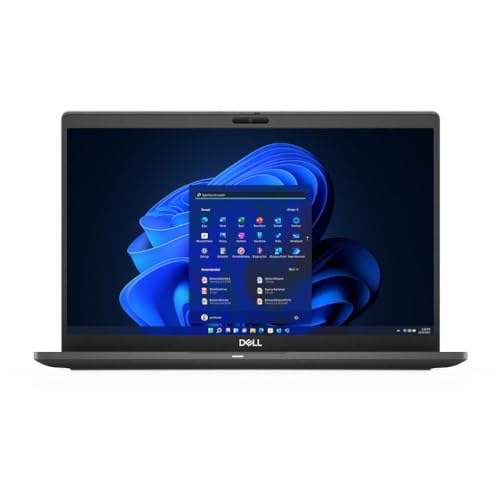
| Dell Latitude 7310 (Core i5) | Reliable office work | Core i5-10310U, 8GB DDR4, 512GB PCIe SSD, 13-inch FHD |
| Dell Latitude 3340 2-in-1 | Touch and tablet flexibility | Core i5-1335U, 16GB RAM, 512GB, FHD IPS touch |
| Dell Latitude 7310 (Core i7) | Heavier multitasking | Core i7 10th Gen, 16GB RAM, 512GB NVMe, Thunderbolt |
| Dell XPS 13-9350 | Compact premium-style design | Core i5-6200U, 8GB RAM, 128GB SSD, 13.3-inch |
| HP EliteBook 830 G7 (Renewed) | Business travel with big memory | Core i7 10th Gen, 32GB RAM, 512GB SSD, touchscreen |
| Razer Blade Stealth 13 | Light gaming and creative work | Core i7-1065G7, GTX 1650 Max-Q, 13.3-inch 4K, 16GB RAM |
How to Choose
Processor generation and what it means for a 13-inch body
Ultraportables use low-power chips, usually the U-series in Intel’s naming. A 10th-generation Core i5-10310U or i7 handles office suites, dozens of browser tabs and video meetings without trouble. A 6th-generation part like the i6200U in the older XPS is a decade behind and may feel sluggish on modern websites. Newer 13th-generation chips such as the i5-1335U add more efficiency and better integrated graphics. Snapdragon X Plus is an Arm design, so most mainstream apps run well, but some older utilities and drivers may not work.
Memory and storage thresholds
Treat 8GB of RAM as the floor for Windows 11 and 16GB as the comfortable target if you keep many windows open. A 128GB drive fills quickly after updates and a few apps; 256GB is workable, and 512GB gives room for a semester of files. Read the storage type: PCIe NVMe SSDs are fast, while the UFS storage listed on the Surface Laptop behaves more like phone flash. Watch for unusual specs in listings. One Latitude title mentions DDR5 on a 10th-generation platform, which does not match that chip family, so verify before you rely on it.
Screen resolution, touch and ports
A 13.3-inch panel at 1920×1080 is the practical standard. A 4K panel on a small screen eats battery without adding much visible detail for daily work. Touchscreens help with tablet-style 2-in-1 designs but add weight and a little extra battery drain. For ports, look for USB-C, ideally with Thunderbolt for fast storage and external displays, and an HDMI port if you present often. Many thin machines drop full-size ports, so budget for a small adapter. Choose a 2-in-1 only if you will actually use touch or pen input for notes and sketches; otherwise a standard clamshell is usually lighter and steadier on a lap, and it avoids paying for a hinge you never flip.
Condition, battery and where cheap models cut corners
Renewed business laptops give you metal or magnesium bodies, good keyboards and legacy security features at a low price. The trade-off is battery wear: a unit made around 2020 may deliver far less runtime than new. Before buying, confirm the warranty window and whether the battery is covered. New budget ultrabooks usually cut corners with dim screens, plastic chassis flex and 4GB or 8GB memory, so ignore marketing adjectives like “thin and light” and check real specs. Also ignore bundled extras such as office-suite trials or cloud storage promotions; they have no bearing on how the laptop performs and often expire within a year. A better use of your attention is the keyboard layout, the hinge feel and whether the charger is included in the box, because replacement chargers for business laptops can be surprisingly pricey.
The 7 Best Options
Microsoft Surface Laptop 13-inch
The listing names a 13-inch Surface Laptop with a Snapdragon X Plus 8-core processor, 8GB of RAM, 256GB UFS storage, Windows 11 and Platinum finish, marked as the first edition. It fits someone who wants a modern, light machine for web work, documents and streaming and who is comfortable with Arm-based Windows. Of everything here it has the newest platform.
- Strength: a current-generation Arm processor targets efficiency and quiet operation.
- Strength: a 13-inch Surface body is portable and polished.
- Trade-off: 8GB of memory and UFS storage limit heavy multitasking, and some x86-only software may not run.
Skip it if you rely on niche Windows programs or older peripherals.
Dell Latitude 7310 (Core i5)
This renewed Latitude pairs a 13-inch 1920×1080 non-touch screen with a Core i5-10310U, 8GB of DDR4 and a 512GB PCIe SSD running Windows 11 Pro. It suits office workers and students who need a dependable, no-frills laptop with ample storage. Four cores, a fast SSD and a business-class build make it the steady all-rounder.
- Strength: 512GB of PCIe storage is generous at this tier.
- Strength: Windows 11 Pro and a full HD screen cover work needs.
- Trade-off: 8GB of memory is a limit for heavy tab loads.
Skip it if you need touch input or more than light multitasking.
Dell Latitude 3340 2-in-1
The Latitude 3340 is a 13-inch 2-in-1 business laptop with a Core i5-1335U, 16GB of RAM, a 512GB drive and an FHD IPS anti-glare touchscreen. It is the most modern x86 processor in the group, and the 16GB of memory is a strong match for students who live in browsers and video calls. The 2-in-1 flip design also suits note-taking.
- Strength: 13th-generation processor with 16GB of RAM offers real multitasking room.
- Strength: a touchscreen with an anti-glare IPS panel suits flexible use.
- Trade-off: as a newer model it may sit above a strict cap; check the final cost tier.
Skip it if the price check pushes it past your limit.
Dell Latitude 7310 (Core i7)
This Latitude 7310 steps up to a 10th-generation Core i7 with 16GB of memory and a 512GB NVMe SSD, plus HDMI, Thunderbolt, a webcam and Windows 11 Pro. It is a better fit than the i5 version for people who run spreadsheets, multiple apps and conferencing software together. The listing mentions DDR5 memory, which is unusual for this platform, so verify the real memory type.
- Strength: 16GB of RAM and an i7 add headroom over the i5 version.
- Strength: Thunderbolt and HDMI make connecting displays easy.
- Trade-off: the DDR5 wording looks inconsistent with a 10th-gen chip.
Skip it if you prefer listings with clean, consistent specs.
Dell XPS 13-9350
The XPS 13-9350 listing shows a 13.3-inch screen, a Core i5-6200U, 8GB of RAM, a 128GB SSD and Windows 10 in silver. It appeals to shoppers who like the compact XPS look and want the smallest, lightest machine possible. The processor is the oldest in this group, so expect it to feel its age on heavy web pages.
- Strength: a small 13.3-inch footprint is highly portable.
- Strength: 8GB of RAM is workable for basic tasks.
- Trade-off: a 6th-generation chip and 128GB drive are limited, and Windows 10 raises support questions.
Skip it if you want long-term software support or plenty of storage.
HP EliteBook 830 G7 (Renewed)
The EliteBook 830 G7 is a renewed 13-inch touchscreen business laptop with a 10th-generation Core i7, 32GB of RAM, a 512GB SSD and Windows 11 Pro. It suits professionals who juggle many large documents and browser sessions and want serious memory in a small body. 32GB is by far the most RAM in this guide.
- Strength: 32GB of RAM is rare at this tier and supports heavy multitasking.
- Strength: touchscreen and Windows 11 Pro add flexibility.
- Trade-off: renewed units carry battery wear risk that the title cannot reveal.
Skip it if you want a brand-new device with a fresh battery.
Razer Blade Stealth 13
The Blade Stealth 13 stands out with a Core i7-1065G7, NVIDIA GeForce GTX 1650 Max-Q graphics, a 13.3-inch 4K 60Hz display, 16GB of RAM and a 512GB SSD. It is for buyers who want light gaming or creative work in a small body and accept that 4K on a small panel uses more power. Dedicated graphics is unique in this group.
- Strength: dedicated GTX 1650 Max-Q graphics give gaming and editing a boost.
- Strength: 16GB of RAM and a 512GB SSD round out the spec.
- Trade-off: a 4K panel can drain the battery faster and the model is older.
Skip it if long battery life matters more than graphics.
Which One Fits Your Situation
You are a student on a tight budget
Pick the Dell Latitude 7310 (Core i5). Its 512GB SSD and full HD screen cover coursework, and it avoids the Arm compatibility questions of the Surface.
You live in browser tabs and video calls
The HP EliteBook 830 G7 with 32GB of RAM or the Dell Latitude 3340 2-in-1 with 16GB will feel smoother than 8GB machines.
You want light gaming or creative work
The Razer Blade Stealth 13 is the only listing with dedicated graphics, so it suits photo editing and casual games.
You want the lightest, newest platform
The Microsoft Surface Laptop 13-inch offers a modern Arm chip in a refined body, as long as your software runs on Windows for Arm.
Common Mistakes
- Counting a 15.6-inch laptop as a compact option because the title mentions “portable.”
- Ignoring battery condition on renewed units and expecting like-new runtime.
- Buying a 128GB drive and running out of space after the first big update.
- Missing inconsistent specs, such as memory types that do not match the processor generation.
- Overlooking port needs, then discovering you need adapters for HDMI or older USB devices.
Related guides
- Sony Wh-1000Xm5 Vs Bose Quietcomfort Ultra Headphones
- Outdoor Night Vision Home Security Cameras
- Bose Quietcomfort Ultra Vs Bose 700 Headphones
Frequently Asked Questions
Can a 13-inch laptop really cost under 500 dollars?
Yes, mostly as renewed business models. New 13-inch machines at that cap usually have modest specs, so compare memory, storage and processor generation carefully.
Is 8GB of RAM enough?
For light use, yes. If you keep many tabs, a video call and a document open together, 16GB is a more comfortable target.
Are renewed laptops safe to buy?
They can be, if the seller offers a clear warranty and return window. Check the battery condition and ask about charger inclusion.
Is Windows 10 a problem?
It can be. Windows 10 has reached the end of regular support, so a machine listed with it may need an upgrade path or extended update plan.
More from Amazon
Programs that pair well with the guide above. Offers and eligibility are set by Amazon and may change.
Free shipping on eligible items, Prime Video and more. Eligible new members can start with a free trial.
Start a Prime free trialAudiobooks and podcasts to listen to on the go. Eligible new members can start with a free trial.
Try Audible freeAd-free music streaming. Eligible new subscribers can start with a free trial.
Try Music Unlimited freeA free business account with business pricing and bulk-buying tools for work, shop or home office.
Create a business accountAs an Amazon Associate we earn from qualifying purchases.