Key takeaways
- Use two matched DDR5 modules rather than one module. Dual-channel memory improves available bandwidth and avoids an easy performance mistake.
- Update the motherboard firmware before judging performance. New BIOS versions can improve memory compatibility, processor scheduling, and stability.
- Enable the memory profile, such as EXPO on compatible AMD systems, after confirming the system is stable.
- Keep at least 32GB of RAM for modern VR gaming. Use 64GB if you run simulators with large mods, stream, or keep substantial background software open.
- Monitor CPU frame time, GPU frame time, and dropped or reprojected frames separately. A high average FPS reading can hide CPU spikes.
- Do not apply an aggressive overclock simply to chase benchmark numbers. VR rewards predictable temperatures and clocks more than a small peak-frequency gain.
The best CPU for VR gaming in 2026 is the AMD Ryzen 7 9800X3D for most players because its large 3D V-Cache, strong gaming performance, and eight fast cores deliver consistently low frame times without the platform cost of a 12- or 16-core workstation chip.
Our top picks



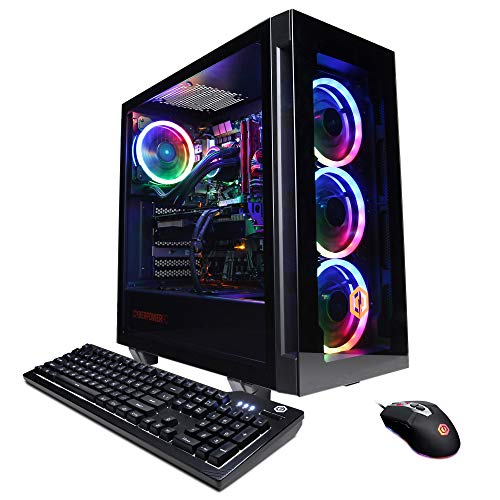
As an Amazon Associate we earn from qualifying purchases at no extra cost to you. Ratings are shown as listed on Amazon.
Quick picks by VR gaming situation
| Situation | Best choice | Why it fits | Typical CPU price range |
|---|---|---|---|
| Best overall VR gaming | AMD Ryzen 7 9800X3D | Excellent frame-time consistency and high minimums in simulation-heavy games | $450–$550 |
| Best value with a midrange GPU | AMD Ryzen 7 7800X3D | Still very capable for 90Hz and 120Hz headsets when discounted | $300–$400 |
| Lower-cost new build | AMD Ryzen 5 9600X | Six Zen 5 cores are enough for many single-player and rhythm VR games | $220–$300 |
| VR plus streaming and productivity | AMD Ryzen 9 9950X3D | Sixteen cores handle background workloads without sacrificing gaming performance | $650–$750 |
| Existing Intel system upgrade | Intel Core i7-14700K | Strong all-round performance if the motherboard and cooling are already owned | $350–$450 |
Why VR needs consistent frame times
Average frames per second are less useful in VR than in ordinary monitor gaming. A headset running at 90Hz needs a new frame approximately every 11.1 milliseconds; at 120Hz, the target is about 8.3ms. If the CPU occasionally takes much longer to prepare a frame, the result can be a visible hitch, reprojection, or a sudden reduction in perceived smoothness even when the average frame rate looks high.
VR workloads can be unusually sensitive to the main game thread. Flight simulators, racing simulators, large multiplayer games, physics-heavy titles, and heavily modded games may create CPU spikes from world simulation, draw-call preparation, AI, and tracking-related tasks. A processor with excellent minimum performance and cache behavior can therefore feel better than one with more total cores but weaker gaming latency.
Head-to-head: the leading gaming CPUs
Ryzen 7 9800X3D: the safest high-end gaming pick
The Ryzen 7 9800X3D combines eight cores and 16 threads with AMD’s second-generation 3D V-Cache design. Its appeal is not simply a higher average benchmark score. Extra cache can reduce the need to fetch frequently used game data from system memory, which often helps with minimum frame rates and frame-time stability in simulation and open-world workloads.
It is a particularly good match for a GeForce RTX 5070, RTX 5070 Ti, Radeon RX 9070, or faster graphics card. Those GPUs can render high-resolution VR images quickly enough that the CPU becomes more influential, especially in games with a low or inconsistent main-thread workload. It is also a sensible choice for a high-refresh headset where the goal is stable 120Hz rather than merely reaching headset launch.
The limitation is value. With a midrange GPU and moderate settings, the graphics card will usually be the bottleneck, so a less expensive processor can deliver nearly the same experience.
Ryzen 7 7800X3D: the discounted value option
The Ryzen 7 7800X3D remains a strong eight-core VR gaming CPU when its market price is meaningfully below the 9800X3D. It is especially attractive for a new system built around an RTX 5060 Ti, RTX 5070, Radeon RX 9060 XT, or Radeon RX 9070.
Choose it when the savings can fund a better GPU, more memory, or a higher-quality power supply. In VR, moving up one graphics tier often matters more than moving from one fast eight-core gaming CPU to another. The 7800X3D uses the AM5 platform, but it is based on an earlier CPU architecture, so the 9800X3D is the better long-term purchase if the price gap is small.
Ryzen 5 9600X: enough cores for a sensible midrange build
The Ryzen 5 9600X has six cores and 12 threads. That is sufficient for many VR games, particularly rhythm games, room-scale titles, cockpit games with modest world simulation, and single-player games where the GPU is the main limit.
It becomes less comfortable when recording, streaming, compiling shaders, running browser tabs, or using background voice and tracking applications at the same time. It also offers less headroom for demanding simulator releases. Still, pairing it with a midrange GPU can produce a better-balanced system than spending heavily on the CPU while using an entry-level graphics card.
Ryzen 9 9950X3D: for VR and serious background workloads
The Ryzen 9 9950X3D provides 16 cores and 32 threads alongside 3D V-Cache. It is overkill for a PC used only for VR gaming, but it makes sense if the same computer runs virtual machines, video production, software development, game hosting, or live streaming while a headset is active.
Its extra cores do not automatically make a game twice as smooth. Many VR titles still depend heavily on one or a few primary threads. Buy this processor for the combination of gaming and workstation performance, not solely for a higher core-count specification.
Intel alternatives: worthwhile in the right ownership scenario
Intel’s Core i7-14700K and Core i9-14900K remain capable gaming processors, with a mixture of Performance and Efficient cores that can be useful for multitasking. They are most compelling when you already own a compatible LGA1700 motherboard, fast DDR5 memory, and adequate cooling.
For a completely new VR gaming build, AMD’s current AM5 options are generally easier to recommend because the platform offers a clearer upgrade path and the X3D models prioritize gaming latency. Intel’s Core Ultra desktop processors are also viable, but their value depends heavily on the specific game, motherboard price, memory choice, and current discounts. Do not select a CPU solely because it has more total cores.
Pair the CPU with the right GPU
| GPU class | Recommended CPU tier | Typical VR target | What to prioritize |
|---|---|---|---|
| Entry to lower-midrange | Ryzen 5 9600X or similar six-core CPU | 72–90Hz at sensible settings | GPU memory, upscaling quality, and total system value |
| Midrange | Ryzen 7 7800X3D or Ryzen 7 9800X3D | 90–120Hz depending on title and resolution | Balanced spending; avoid pairing an expensive CPU with an undersized GPU |
| High-end | Ryzen 7 9800X3D | High settings and high-refresh VR | Low CPU frame times and strong one-thread performance |
| High-end plus heavy multitasking | Ryzen 9 9950X3D | High-refresh VR while recording or rendering | Core capacity, cooling, and sustained power delivery |
VR resolution is effectively multiplied by two displays, and some headsets have particularly demanding lenses or wide fields of view. A powerful CPU cannot compensate for a GPU that lacks rendering performance or VRAM. As a practical example, spending an extra $250 on a CPU while dropping from a high-end GPU to a midrange model can reduce VR image quality far more than it improves frame-time consistency.
Platform and total ownership cost
CPU price is only part of the decision. A Ryzen 7 9800X3D build needs an AM5 motherboard, DDR5 memory, and a suitable cooler. Budget approximately $180–$350 for a quality AM5 motherboard, $90–$170 for 32GB of DDR5, and $40–$100 for a capable air cooler or basic liquid cooler. The 9800X3D usually does not require an expensive liquid cooler, which helps offset its processor price.
The Ryzen 7 7800X3D can lower the initial cost, but compare the complete platform rather than the processor alone. If the difference between systems is $150 and that money upgrades the graphics card, the less expensive CPU may produce the better VR experience. Conversely, if the PC will receive a faster GPU in a year or two, the 9800X3D provides more CPU headroom.
Setup choices that protect frame-time consistency
- Use two matched DDR5 modules rather than one module. Dual-channel memory improves available bandwidth and avoids an easy performance mistake.
- Update the motherboard firmware before judging performance. New BIOS versions can improve memory compatibility, processor scheduling, and stability.
- Enable the memory profile, such as EXPO on compatible AMD systems, after confirming the system is stable.
- Keep at least 32GB of RAM for modern VR gaming. Use 64GB if you run simulators with large mods, stream, or keep substantial background software open.
- Monitor CPU frame time, GPU frame time, and dropped or reprojected frames separately. A high average FPS reading can hide CPU spikes.
- Do not apply an aggressive overclock simply to chase benchmark numbers. VR rewards predictable temperatures and clocks more than a small peak-frequency gain.
Final verdict
Choose the Ryzen 7 9800X3D if you want the best balance of smooth VR frame times, high-refresh potential, and long-term gaming value. Choose the Ryzen 7 7800X3D when it is substantially cheaper and the savings improve your GPU. The Ryzen 5 9600X is the sensible budget pairing for a midrange graphics card, while the Ryzen 9 9950X3D is justified by demanding multitasking rather than VR gaming alone.