Key takeaways
- Clean the lens; fingerprints cause haze around lights.
- Brace your elbows or use a small tripod for longer exposures.
- Tap to set focus and lower exposure slightly to protect highlights.
- Avoid digital zoom at night; use the telephoto only if the scene is lit.
- Shoot in RAW if you plan to edit shadows yourself.
Choose a Google Pixel and Night Sight if you want the brightest, cleanest low-light photos with maximum shadow detail and astrophotography options; choose an iPhone and Night mode if you prefer low-light shots that keep the mood of the scene, with natural color and reliable video. Both are excellent, and the gap has narrowed in recent generations.
This comparison draws on the makers’ descriptions and reviewer reports (Tech Advisor, SlashGear, illgaming.net and others). Night processing is software-driven and changes with updates, so treat any ranking as a snapshot.
At a Glance
| Aspect | Pixel Night Sight | iPhone Night mode |
|---|---|---|
| Activation | Automatic in dim light, or manual Night Sight mode | Automatic; a moon icon shows suggested capture time |
| Capture time | A few seconds; hold still | One to several seconds; adjustable up to a maximum on tripod |
| Look | Brighter, lifts shadows | More natural, retains dark atmosphere |
| Extra options | Astrophotography mode, night portraits | Night mode portraits, Night mode on telephoto |
| Reviewer view | Often leads in very dark scenes | Gap has narrowed per illgaming.net |
| Best for | Street, interiors and stars | People, cityscapes with lights |
How Each System Works
Both systems capture a burst of frames, align them to counter hand shake, and merge them to reduce noise and increase dynamic range. Google has led in this area since Night Sight debuted on Pixel phones. Apple introduced Night mode on the iPhone 11 and has extended it to all rear cameras on recent Pro models. The maker’s descriptions emphasize that you should hold the phone steady during the capture window, which can range from a second to several seconds depending on how dark it is.
Image Character
SlashGear describes the Pixel as skewing brighter and punchier and the iPhone as more realistic. In low light, that translates into a clear difference. A Pixel night shot tends to look like a scene lit softly, with shadows opened up. An iPhone night shot tends to keep darkness where it exists, which many photographers feel is more truthful. Droid Life noted the iPhone can sometimes make photos cooler with a blue hue.
Highlights and light sources
Street lamps, signs and car lights test any night mode. Both phones control blown highlights reasonably well. Reviewers report that results vary scene to scene, so neither wins every time.
Sharpness and Noise
The Pixel’s multi-frame processing is strong at smoothing noise while keeping detail, but aggressive processing can leave a slightly painted look in dark areas. The iPhone may retain more natural grain. Tech Advisor, comparing the Pixel 10 Pro and iPhone 17 Pro, concluded that the Pixel has technical advantages in detail capture and Night Sight, though the iPhone’s pictures were more consistent overall.
Astrophotography and Special Modes
Google offers a dedicated astrophotography option that takes multi-minute exposures on a tripod to capture stars. Apple’s Night mode can extend exposure on a tripod, but the company does not market a dedicated astro mode in the same way. If you plan to shoot the night sky, the Pixel gives you more built-in tools.
Portraits at Night
Both support portrait shots in dim light. The iPhone typically delivers flattering skin tones and natural depth effects. The Pixel brightens faces effectively but may look more processed. For group shots, hold the phone still and ask subjects to remain steady, since multi-frame capture can blur moving people.
Video in Low Light
iPhone video is generally considered stronger in low light, with cleaner shadows and steadier color, plus options such as Cinematic Mode and Dolby Vision HDR. Pixel video has improved with cloud-assisted processing options on some models, but reviewers continue to rate the iPhone as the stronger video device.
Tips for Better Night Photos
- Clean the lens; fingerprints cause haze around lights.
- Brace your elbows or use a small tripod for longer exposures.
- Tap to set focus and lower exposure slightly to protect highlights.
- Avoid digital zoom at night; use the telephoto only if the scene is lit.
- Shoot in RAW if you plan to edit shadows yourself.
Pick X If… Decision Table
| Pick this | If you… |
|---|---|
| Pixel | Want the brightest low-light photos and astrophotography |
| Pixel | Shoot dark interiors and want shadows opened up |
| iPhone | Prefer natural mood and color in night scenes |
| iPhone | Also shoot low-light video |
| Either | Shoot casual night snapshots; both perform well |
Alternatives
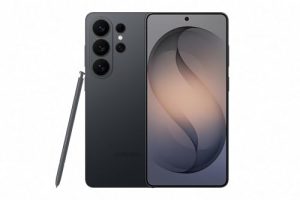
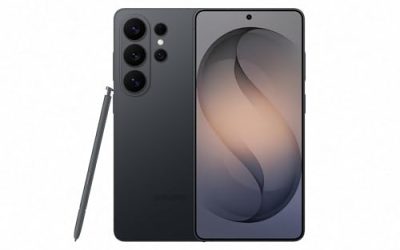
- Samsung Galaxy S25 Ultra: Nightography mode with a large sensor and several telephotos.
- OnePlus and Xiaomi flagships: Co-developed camera systems with strong night modes in some markets.
- Dedicated mirrorless camera: Larger sensors outperform any phone at night, at higher size and cost tiers.
Understanding the Trade-Offs in Night Processing
Every night mode balances four things: brightness, noise, detail and naturalness. Pushing brightness shows more of the scene but can flatten contrast and remove the atmosphere of a dim room. Heavy noise reduction cleans the image but can smear fine textures such as hair or fabric. Reviewers who prefer the Pixel usually value brightness and cleanliness; reviewers who prefer the iPhone usually value mood and natural texture. Knowing which of those you care about is more useful than a single winner.
Moving subjects
Because night modes combine frames over time, people who move during the capture can appear soft. Pets, children and street scenes challenge both phones. Where possible, ask subjects to pause, or use a brighter light source such as a nearby lamp to shorten the capture.
Mixed lighting
Scenes with warm indoor bulbs and cool window light test white balance. The iPhone often preserves the warm glow, while the Pixel tends to neutralize it. Neither approach is incorrect; some people prefer the cozy glow and others a cleaner tone. You can adjust color afterward in either phone’s editor.
Choosing Between Generations
Night performance improved significantly across recent generations of both lines because of larger sensors, faster chips and better algorithms. A recent previous-generation Pixel or iPhone still delivers strong night shots, and you may find them at lower budget tiers. If low light is your priority, read reviews of the specific model you are considering rather than assuming the brand name alone settles the matter.
Editing Night Photos After the Shot
Night photos respond well to small edits. Lowering highlights slightly keeps lamps from glaring, lifting shadows modestly restores detail, and a touch of warmth fixes cold casts. Avoid pushing clarity or sharpening too far, since both phones already apply sharpening during processing and extra can create halos around lights.
Frequently Asked Questions
Is Night Sight better than iPhone Night mode?
Many reviewers say Night Sight gives brighter, cleaner results in the darkest scenes, but illgaming.net found Apple has closed the gap. The better choice depends on whether you prefer brightness or realism.
Do I need a tripod?
Not for most shots, but a tripod or steady surface helps longer exposures and is required for astrophotography.
Why do night photos look blurry sometimes?
Night modes combine several frames over seconds. Movement by you or your subject blurs the result. Hold still and wait until the capture finishes.
Which is better for night video?
The iPhone is generally regarded as stronger for low-light video.
Can I turn Night mode off?
Yes. Both phones let you disable automatic night processing or choose capture time manually.
Do older phones have these modes?
Night Sight is available on many Pixel generations, and Night mode on iPhone 11 and later. Quality improves with newer sensors and chips.
More from Amazon
Programs that pair well with the guide above. Offers and eligibility are set by Amazon and may change.
Free shipping on eligible items, Prime Video and more. Eligible new members can start with a free trial.
Start a Prime free trialAudiobooks and podcasts to listen to on the go. Eligible new members can start with a free trial.
Try Audible freeAd-free music streaming. Eligible new subscribers can start with a free trial.
Try Music Unlimited freeA free business account with business pricing and bulk-buying tools for work, shop or home office.
Create a business accountAs an Amazon Associate we earn from qualifying purchases.