Key takeaways
- 4-in-1 binning: four pixels become one, so a 48MP or 50MP sensor outputs roughly 12MP.
- 9-in-1 binning: nine pixels become one, used on some 108MP sensors to give about 12MP.
- 16-in-1 binning: sixteen pixels become one; Samsung describes its 200MP sensors producing about 12.5MP this way.
Pixel binning merges neighbouring pixels into one larger effective pixel so the sensor gathers more light per output pixel, which is why a 50MP or 200MP phone usually saves a 12MP-class photo in dim scenes, and it suits buyers who shoot mostly at night, indoors or in mixed light more than buyers who print huge crops. The trade-off is resolution: binned shots have fewer pixels than the sensor’s headline number, but the pixels they do have are cleaner. This guide explains the idea, then maps it to current phones so you can choose by how you shoot.
What Pixel Binning Actually Does
A camera sensor is a grid of tiny light-collecting sites. Smaller sites collect less light, so in low light the signal is weak and the image gets noisy and muddy. Binning groups neighbouring sites that share a colour filter and treats them as a single larger one. Explainers from outlets such as Android Authority and Amateur Photographer describe the result as less noise and better colour in dim conditions, in exchange for lower resolution.
- 4-in-1 binning: four pixels become one, so a 48MP or 50MP sensor outputs roughly 12MP.
- 9-in-1 binning: nine pixels become one, used on some 108MP sensors to give about 12MP.
- 16-in-1 binning: sixteen pixels become one; Samsung describes its 200MP sensors producing about 12.5MP this way.
These sensors use a quad-Bayer style filter, where colour filters are arranged in clusters. Software then converts the data into a normal image. Reviewers note that binning can occasionally introduce small colour shifts or softness, and that a high-resolution mode does not give four times the real detail of a binned shot.
Why It Helps in the Dark
Light is physical: a bigger effective pixel catches more photons during the same exposure. That allows a faster shutter (less blur from hand shake), lower ISO gain (less noise), or both. Phone makers also stack several frames and apply computational processing, so binning is one part of a pipeline rather than the whole story. The maker’s own pages, such as Samsung’s explanations of its 200MP sensors, say that combining pixels gives the equivalent of a camera with larger pixels, for example a result comparable to a 50MP camera with larger pixels at 4-in-1 and a still larger effective pixel at 16-in-1.
At a Glance: Phones That Use Binning Well
| Phone | Best for | Key stated specs (maker lists) | Limits |
|---|---|---|---|
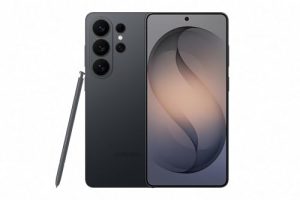
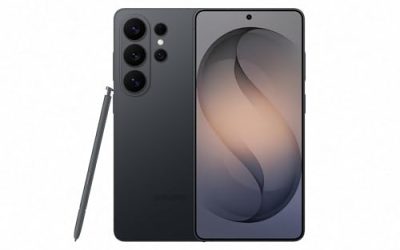
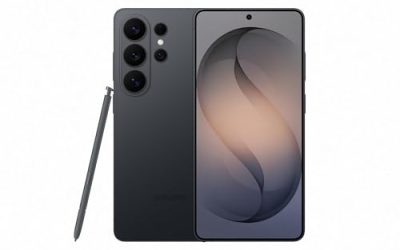
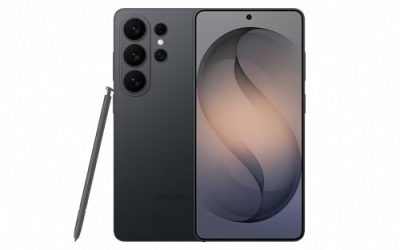
| Samsung Galaxy S25 Ultra | Zoom and flexible resolution choices | 200MP main sensor with binned output options; additional 50MP ultrawide and 50MP 5x telephoto | Large and heavy; default output is lower than 200MP |
| Google Pixel 10 Pro | Natural-looking night processing | 50MP main, 48MP ultrawide and 48MP 5x telephoto | Fewer manual resolution modes than Samsung |
| Apple iPhone 17 Pro | Video-first shooters who also take stills | Apple lists 48MP-class sensors that produce high-resolution and default outputs | Premium tier; Apple’s pipeline hides most binning controls |
| Samsung Galaxy S25 | Smaller phone with a binned 50MP main camera | 50MP main sensor per Samsung’s listing | Shorter telephoto reach than Ultra |
| Google Pixel 10 (standard) | Mid-range to premium all-rounder | Google lists a high-resolution main sensor with processed night mode | Fewer lenses than Pro |
Exact sensor sizes and megapixel counts vary by model and region; read each maker’s specification page before buying. Where outlets disagree on sensor size, treat that detail as unconfirmed.
How Binning Shows Up in Real Settings
Samsung-Style Modes
Samsung’s 200MP camera offers a full-resolution mode with no binning, which only makes sense in bright, still scenes, plus binned modes that group pixels for better light capture. Community explanations describe the 12MP-equivalent output as the best in dark scenes. If you want maximum cropping room in daylight, use the highest setting; for night, leave the default.
Google-Style Processing
Google pairs a large main sensor with multi-frame night processing. Reviewers such as TechRadar and Android Authority generally report natural white balance and cleaner shadows at night, with less aggressive brightening than some rivals. Because it is largely automatic, you get consistent results without choosing modes.
Apple-Style Output
Apple uses high-resolution sensors and merges data into default outputs; most users never see a binning toggle. Apple’s own camera pages describe higher-resolution options, but the default is designed to balance detail and low-light quality.
Pick X If … Decision Table
| Pick this | If you |
|---|---|
| Galaxy S25 Ultra | want a 200MP sensor, crop-heavy shooting in daylight and strong zoom, with binned shots for night |
| Pixel 10 Pro | want natural, automatic night photos with minimal fiddling |
| iPhone 17 Pro | shoot lots of video and want photos that match Apple’s colour style |
| Galaxy S25 | prefer a more compact phone with a 50MP binned main camera |
| Standard Pixel 10 | want strong night processing at a lower tier than Pro |
Budget Tiers
Budget
Many budget phones advertise 50MP or 108MP sensors, but sensor size and processing quality matter more than the megapixel number. Look for a main sensor with optical image stabilisation, since a steadier exposure helps low light more than extra pixels.
Mid-Range
Mid-range phones often use binned 50MP main cameras and offer a night mode. This tier is where binning delivers the biggest everyday improvement over older 12MP sensors, according to reviewers.
Premium
Premium phones combine larger sensors, binning, faster processors and multi-frame stacking. The gains over mid-range are visible mainly in difficult scenes: mixed lighting, moving subjects and distant night zoom.
Things To Check Before Buying
- Sensor size: A larger sensor gives bigger native pixels before any binning.
- Default output resolution: Check whether the default is binned or full resolution.
- Stabilisation: Optical stabilisation on the main camera helps long exposures.
- Telephoto aperture: A wider aperture lets more light in on zoom lenses; the Pixel 10 Pro’s zoom lens is listed at a wider aperture than Samsung’s 5x lens, according to GSMArena’s comparison data.
- Storage: Full-resolution files are much larger than binned ones.
Shooting Tips to Get the Most From Binning
- Use the default binned mode at night and switch to full resolution only in bright, static scenes.
- Hold still for the full capture time on night modes.
- Clean the lens before shooting, as smudges cause flare around lights.
- Tap to set focus on the brightest subject, then adjust exposure slightly down to protect highlights.
- Use a small tripod for the longest exposures or astrophotography modes.
Alternatives to a Binned Phone Sensor
- A compact camera with a one-inch sensor: Larger native pixels without relying on binning.
- A mirrorless camera: Much larger sensors collect more light by physics, at higher size and cost.
- An older 12MP flagship: Large native pixels still perform well, though newer phones tend to win on processing.
Binning Versus Larger Sensors
Binning imitates the benefit of larger pixels, but it cannot create a bigger sensor. A phone with a large main sensor and binning will usually beat a phone with a small sensor and the same binning, because the physical light-collecting area is larger from the start. When comparing models, look at the stated sensor size, usually written as a fraction of an inch, and treat it as more telling than the megapixel figure. Where outlets give conflicting sensor sizes for the same phone, rely on the maker’s own specification page.
When You Might Want Full Resolution
Full-resolution modes make sense in bright daylight with a still subject, such as architecture or a landscape you intend to crop or print large. The files are bigger, processing is slower and fine detail depends on a steady hand and a clean lens. For people, pets and anything moving, or for any scene lit by streetlights or indoor bulbs, the binned default is usually the safer choice, which is why most makers set it that way out of the box.
Reading a Spec Sheet
When a listing says 50MP or 200MP, ask three questions. What is the default output? What is the sensor size? Is there optical stabilisation on that lens? Those answers tell you far more about night performance than the headline number. Telephoto lenses on phones often use smaller sensors with narrower apertures, so night zoom results usually lag behind the main camera whatever the megapixel count.
Frequently Asked Questions
Does pixel binning reduce the megapixel count?
Yes. Combining four pixels turns a 48MP or 50MP sensor into roughly a 12MP image, and combining sixteen turns a 200MP sensor into roughly 12.5MP. You trade resolution for cleaner light capture.
Is a 200MP photo better than a 12MP photo?
Only in bright, still scenes where you want to crop or print large. In dim light, reviewers report that binned output is cleaner, and a full-resolution file may show more noise.
Is pixel binning the same as night mode?
No. Binning is a sensor-level technique that combines pixels, while night mode is a software process that stacks several frames and adjusts tones. Many phones use both together.
Can I turn pixel binning off?
On some phones you can pick a full-resolution mode, which effectively skips binning. Others, including most iPhones, manage this automatically, so check your phone’s camera settings.
Does more megapixels always mean a worse low-light photo?
Not always. A high-resolution sensor can be binned to match a lower-resolution one, but if the sensor is physically small the pixels are still tiny. Sensor size, lens aperture and processing all matter.
Which phone should I buy for night photos?
Reviewers often point to the Pixel 10 Pro for natural night processing and the Galaxy S25 Ultra for brightness and night zoom. Pick based on whether you value a natural look or more flexibility.
More from Amazon
Programs that pair well with the guide above. Offers and eligibility are set by Amazon and may change.
Free shipping on eligible items, Prime Video and more. Eligible new members can start with a free trial.
Start a Prime free trialAudiobooks and podcasts to listen to on the go. Eligible new members can start with a free trial.
Try Audible freeAd-free music streaming. Eligible new subscribers can start with a free trial.
Try Music Unlimited freeA free business account with business pricing and bulk-buying tools for work, shop or home office.
Create a business accountAs an Amazon Associate we earn from qualifying purchases.