The best Echo Dot accessories in 2026 are a stable stand or wall mount, a smart plug for voice-controlled lamps and a proper power adapter, followed by a protective case and a speaker upgrade if you want better sound. These add-ons fix the Dot’s biggest weaknesses: placement, power cables and modest audio.
Our top picks


As an Amazon Associate we earn from qualifying purchases at no extra cost to you.
Quick Comparison of Echo Dot Accessories
| Accessory | Best for | Typical spec | Effort to install | Price range |
|---|---|---|---|---|
| Wall mount or outlet shelf | Clearing counters | Holds under 1 lb, plugs into outlet | Minutes | Budget |
| Desktop stand or cradle | Angled microphones and better sound | Silicone or metal base | Seconds | Budget |
| Smart plug | Voice control of lamps | 10 to 15 A, 2.4 GHz Wi-Fi | Minutes | Budget |
| Protective case | Kids rooms, dust | Silicone, fabric or hard shell | Seconds | Budget |
| Battery base | Portable use | Rated hours vary by model | Seconds | Budget to mid |
| External speaker or dock | Better audio | Bluetooth or 3.5 mm line-out | Minutes | Mid-range |
Compatibility depends on your Dot generation, since newer 4th and 5th generation Dots are spherical and older ones are pucks. Check dimensions before ordering.
Best for Placement: Wall Mounts and Outlet Shelves
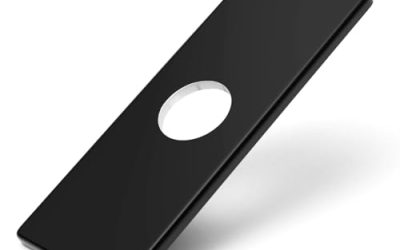
Outlet shelves plug into a wall socket and hold the Dot with a cable-managed cutout. They eliminate cords and free up shelf space in bedrooms and kitchens. Look for a model that matches your Dot’s shape and has an opening for the power cable.
Main trade-off: the Dot sits low in some rooms, which can lessen microphone clarity if furniture blocks it.
Best for Sound and Mic Pickup: Desktop Stands
A stand angles the speaker toward the room and lifts it off a surface, which reduces muffled bass and helps the microphones hear your voice. Silicone cradles also stop spherical Dots from rolling.
Main trade-off: bulky stands can look cluttered on small nightstands.
Best for Smart Home Control: Smart Plugs
A smart plug turns an ordinary lamp, fan or coffee maker into a voice-controlled device. Look for a plug rated at least 10 amps, 2.4 GHz Wi-Fi support and compatibility with Alexa. Several brands such as TP-Link Kasa and others make well-reviewed options.
Worked example: a 60-watt lamp running 6 hours daily uses roughly 0.36 kWh, so scheduling it off saves a few dollars a year while adding convenience.
Main trade-off: some plugs hide apps behind accounts and may be bulky enough to block the second outlet.
Best for Kids and Protection: Cases
Silicone and fabric cases protect against spills and scratches and add color. Cases that wrap the entire Dot may muffle sound, so choose one with an open top or speaker-friendly mesh.
Best for Portability: Battery Bases
A battery base allows use on a patio or in another room for several hours. Check rated runtime in the product spec and expect less at high volume.
Best for Better Audio: Bluetooth or Wired Speakers
The Dot’s built-in speaker is small. Pairing it with a better speaker via Bluetooth or the 3.5 mm line-out on older models transforms music. Check whether your Dot generation has a line-out port.
Accessory Decision Matrix
| Your problem | Accessory |
|---|---|
| Cluttered desk or counter | Outlet shelf |
| Muffled music | Stand plus external speaker |
| Dumb lamps | Smart plug |
| Kids or messy kitchens | Silicone case |
| Want to move it | Battery base |
How to Choose Echo Dot Accessories
Match your Dot generation
Dimensions differ across generations, so confirm your model number in the Alexa app or on the base.
Check power requirements
Use the adapter that matches the original power rating, usually 15 watts for newer models. A weak adapter causes reboots and slow responses.
Mind the microphones
Do not cover the microphone ring or top controls with cases or mounts.
Wi-Fi band for smart plugs
Most plugs require 2.4 GHz. If your router merges bands, pair with your phone connected to 2.4 GHz.
Cable management
A short cable, adhesive clips and an outlet shelf give a clean setup.
Mistakes to Avoid
- Putting the Dot in a corner or cabinet.
- Choosing a generic power adapter with unknown ratings.
- Buying a case without checking the speaker opening.
- Overloading a smart plug with high-wattage heaters.
Setting Up a Cleaner, Smarter Echo Dot Spot
Good placement improves accuracy. Put the Dot at least 8 inches from walls, away from windows and appliances, and ideally at chest or head height in the room where you use it most. Keep it clear of other speakers, since sound feedback confuses its microphones. If you plan to use several Dots, name each room in the app.
Worked Example: A Voice-Controlled Lamp
- Plug the smart plug into the wall and the lamp into the plug.
- Pair the plug through its own app on a 2.4 GHz network.
- Link the plug’s skill in the Alexa app and discover devices.
- Rename it “bedroom lamp” and say, “Alexa, turn on the bedroom lamp.”
- Create a routine so the lamp turns on at sunset.
Durability and Ownership
Silicone cases attract dust and can yellow with sunlight, while hard stands rarely wear. Smart plugs have relays that click thousands of times; most last for years under normal lamp use. Adhesive mounts can lose grip when heated, so prefer outlet shelves for kitchens.
Privacy and Security Habits
Use the mute button when you want to silence the microphones, review voice history periodically and keep the Dot connected so firmware updates install. Choose accessories from reputable makers to avoid unknown firmware in smart plugs.
Which Accessories to Skip
Skip decorative covers that block the microphone ring, cheap unregulated USB chargers and dock-style speakers that lack Bluetooth compatibility. Spend on the items that solve a real problem, such as placement and power.
Frequently Asked Questions
Do all Echo Dot accessories fit every generation?
No. Older generations are puck-shaped and newer ones are spherical, so stands, mounts and cases are usually generation-specific.
Can I use a smart plug with an Echo Dot?
Yes. Add the plug’s skill in the Alexa app, then say its name to switch connected devices on or off.
Does a stand improve sound?
It can. Lifting the Dot off a surface reduces vibration and lets sound spread more evenly.
Can I run an Echo Dot on battery?
Some models support battery bases. Check compatibility and rated runtime before buying.
How do I improve Echo Dot sound?
Connect an external speaker by Bluetooth or cable, and place the Dot away from walls and corners.
More from Amazon
Programs that pair well with the guide above. Offers and eligibility are set by Amazon and may change.
Free shipping on eligible items, Prime Video and more. Eligible new members can start with a free trial.
Start a Prime free trialAudiobooks and podcasts to listen to on the go. Eligible new members can start with a free trial.
Try Audible freeAd-free music streaming. Eligible new subscribers can start with a free trial.
Try Music Unlimited freeA free business account with business pricing and bulk-buying tools for work, shop or home office.
Create a business accountAs an Amazon Associate we earn from qualifying purchases.