
Our Top Picks
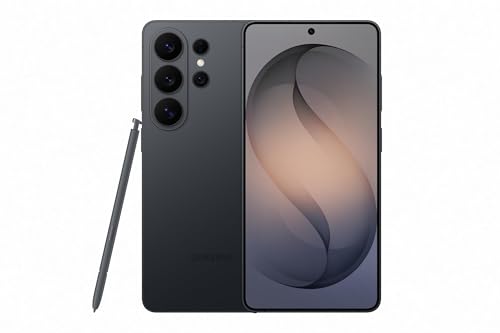
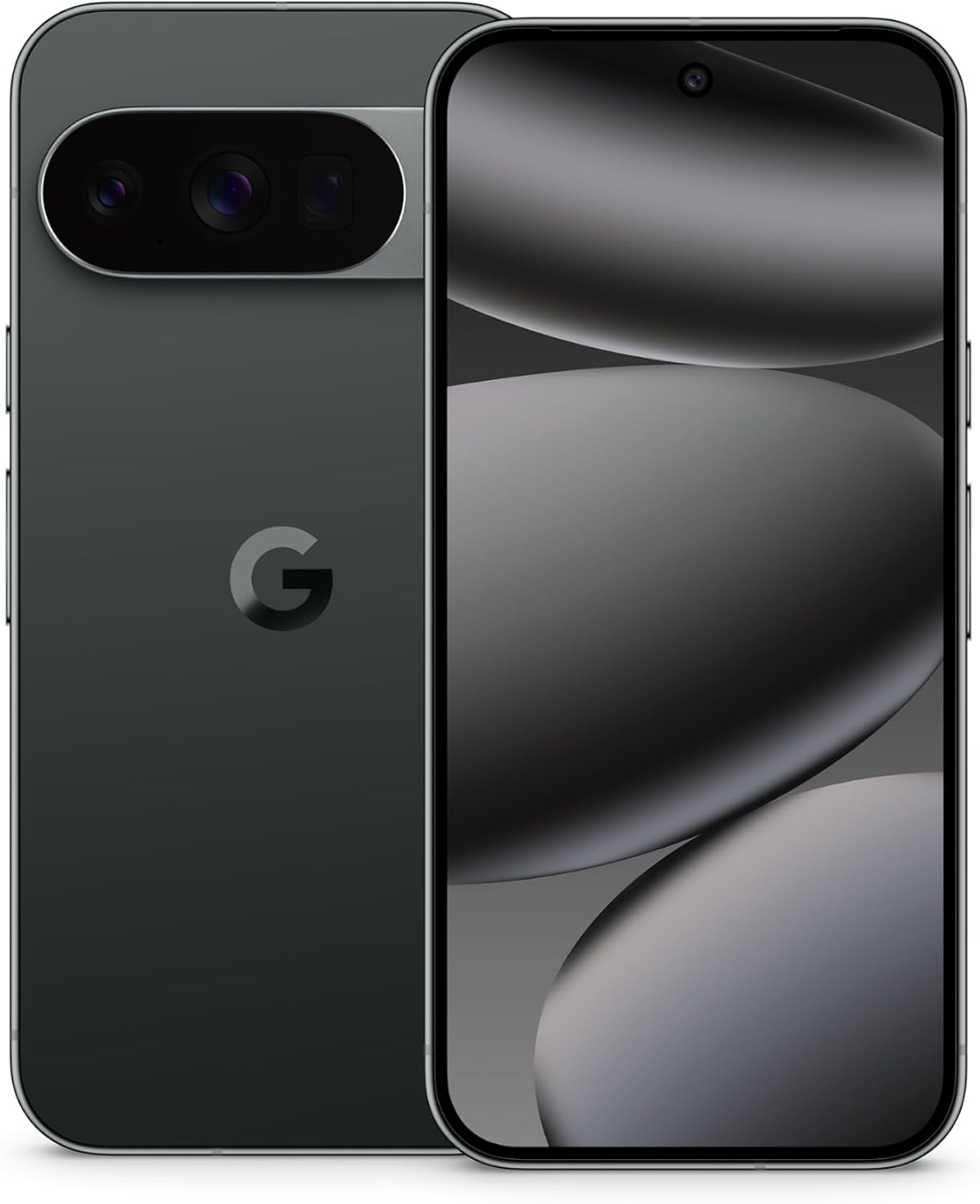

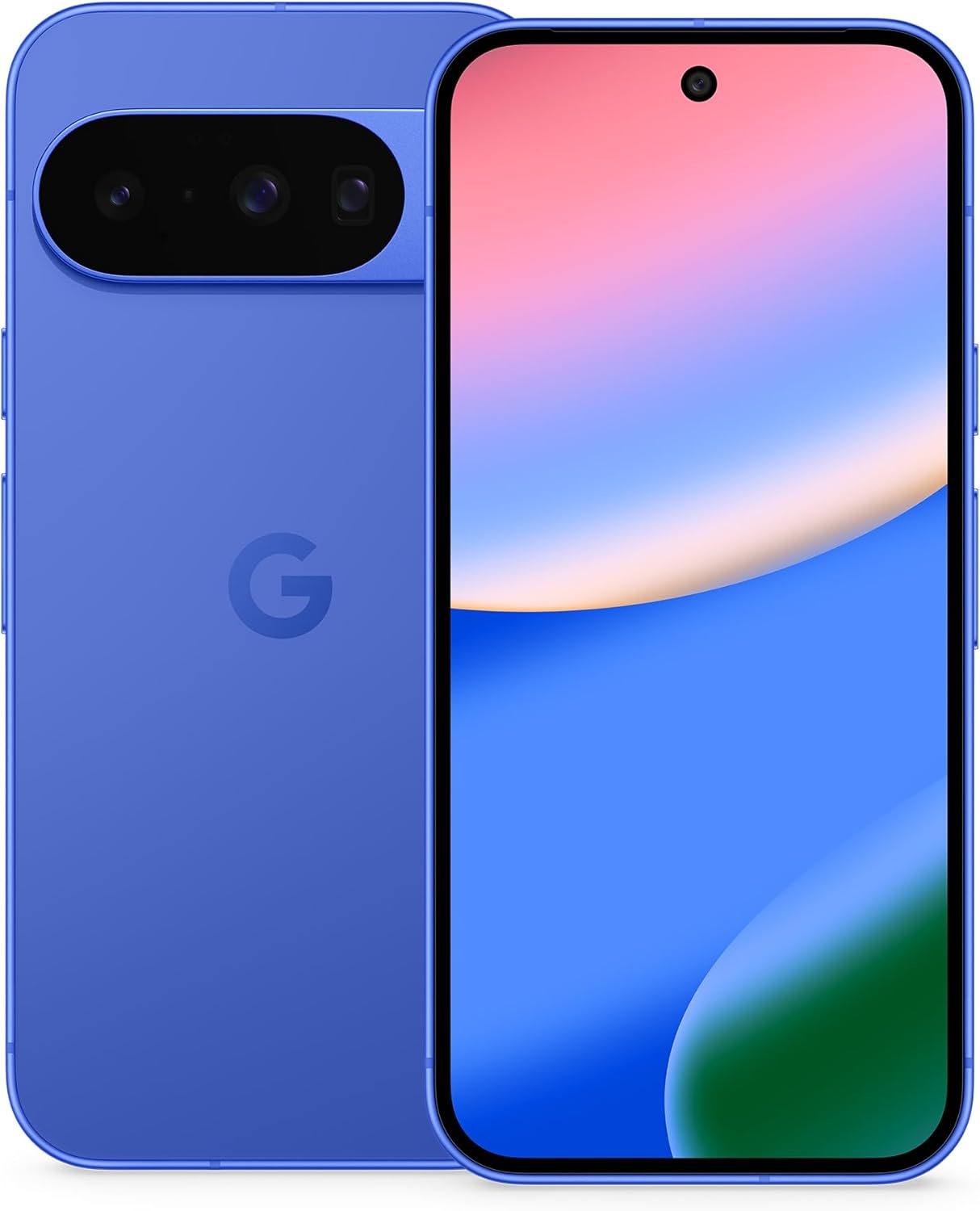

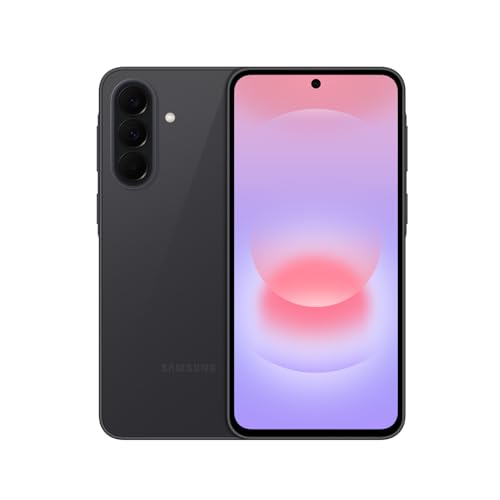
The best smartphone for most people in 2026 is the iPhone 17 Pro Max for iPhone buyers and the Samsung Galaxy S26 Ultra for Android buyers, while the iPhone 17 and the Google Pixel 10 are the best choices if you want flagship quality without paying for the top tier. If you want the smartest everyday assistant features, the Pixel 10 Pro is the standout; if you want a premium experience at a lower cost, the Pixel 10a is the model to look at.
Choosing a phone in 2026 is less about raw speed, because every current flagship is fast enough for years of use, and more about five practical questions: which ecosystem you already live in, how long the maker will keep updating the phone, how good the cameras are for the things you actually shoot, how long the battery lasts on a heavy day, and how much storage you need so you never have to think about it. This guide organizes the current lineup around those questions and gives concrete thresholds so you can match a phone to your situation rather than chase a spec sheet.
Quick picks
- Best overall: iPhone 17 Pro Max
- Best Android overall: Samsung Galaxy S26 Ultra
- Best compact flagship: iPhone 17 Pro
- Best value iPhone: iPhone 17
- Best for AI features and clean software: Google Pixel 10 Pro
- Best Android with a standard-size screen: Samsung Galaxy S26
- Best lower-cost flagship Android: Google Pixel 10
- Best mid-range pick: Google Pixel 10a
How we chose
This guide is research-based. We compared manufacturer specification sheets and the buying guides and comparison reviews published by established technology outlets for the 2026 lineup. We did not run our own lab measurements and we do not assign scores. We limited the list to phones that are current in 2026, sold unlocked in the United States, and backed by a long software support period from the manufacturer. Each phone was judged on seven criteria: software support length, processor class and memory, display size and refresh rate, camera system, battery endurance, storage options, and fit for a specific buyer. Where we could not confirm a specific figure, we describe the phone by class rather than quote a number. Retail prices vary widely by carrier, trade-in, and promotion, so we use tier words instead of fixed figures.
The criteria that matter, with thresholds
Software support: look for at least five years, ideally seven
A phone is only as good as its remaining update window. Security patches protect you against new threats, and major version updates bring new features. Samsung and Google both promise seven years of updates for their current flagships, which means a phone bought today stays supported into the early 2030s. Apple does not publish a fixed promise, but its iPhones have historically received updates for around six years or more. As a rule, if you keep phones for four years or longer, avoid models with a shorter support window.
Memory and processor: current flagships are all fast; memory differs
The iPhone 17 family runs Apple’s A19 generation chips, and the standard iPhone 17 shares the same A19 chip family as the Pro tier. Reviewers note that the Galaxy S26 and Pixel 10 ship with 12 GB of RAM while the iPhone 17 has 8 GB. Because iOS and Android manage memory differently, a lower RAM number on an iPhone does not mean it feels slower. If you plan to use on-device AI features heavily, prefer more RAM on the Android side.
Display: aim for 120 Hz and about 6.3 inches or larger
A 120 Hz refresh rate makes scrolling and animations smoother, and it is now standard on the flagships, including the standard iPhone 17. Screen size is a personal decision: roughly 6.3 inches is the standard flagship size, and 6.8 to 6.9 inches is the large format found on Pro Max and Ultra models. If you use one hand most of the time, choose the smaller size.
Cameras: match lenses to what you shoot
For casual photos and family clips, any phone here will give excellent results. If you take photos of distant subjects, you want a telephoto lens; the Pro and Ultra phones include one, and the Pixel 10 Pro adds a long-reach telephoto in a compact body. For vlogging or video calls, a strong front camera matters, and recent iPhones have invested heavily in that. If you mostly photograph in dim light, favor phones known for computational night modes: Pixel and Galaxy Ultra models are strong here.
Battery: plan for a full day with margin
A good rule is to size the battery so that a heavy day ends with at least 20 percent remaining. Reviewers have found the iPhone 17 Pro Max outlasts the Galaxy S26 Ultra by nearly two hours in battery evaluation, while the larger Pixel and Samsung phones also last a full day for most people. Fast charging helps, but real endurance depends on screen use, signal strength, and settings, so use battery figures as a relative guide, not a promise.
Storage: 256 GB is the realistic starting point
Photos, 4K video, and games fill storage faster than most buyers expect. Since the current flagships start at 128 GB or 256 GB depending on model and generation, check what the base tier is before you buy. If you shoot a lot of video, choose 512 GB or more.
Comparison table
| Phone | Screen | Memory class | Software support | Best for |
|---|---|---|---|---|
| iPhone 17 Pro Max | 6.9 in, 120 Hz | A19 Pro class chip | Apple, long history | Best overall, video, battery |
| iPhone 17 Pro | 6.3 in, 120 Hz | A19 Pro class chip | Apple, long history | Compact pro |
| iPhone 17 | 6.3 in, 120 Hz | A19 chip, 8 GB RAM | Apple, long history | Value iPhone |
| Galaxy S26 Ultra | 6.9 in | High-end Snapdragon class, 12 GB RAM or more | 7 years | Best Android, zoom, productivity |
| Galaxy S26 | 6.3 in | 12 GB RAM | 7 years | Compact Android flagship |
| Pixel 10 Pro | 6.3 in | Google Tensor G5 class | 7 years | AI features, cameras |
| Pixel 10 | 6.3 in | Google Tensor G5 class, 12 GB RAM | 7 years | Flagship feel, lower cost |
| Pixel 10a | Mid-range class | Mid-range class | Long Google support | Mid-range value |
Confirm exact storage tiers, display sizes, and update commitments on the manufacturer page before buying, because they can change between production runs and regions.
The best smartphones in 2026
1. iPhone 17 Pro Max
Spec line: 6.9-inch 120 Hz display · A19 Pro class chip · 48 MP triple rear camera · USB-C · up to 2 TB storage · longest battery in the iPhone range
Best for: iPhone users who want the best camera, the strongest video, and the longest battery life in one phone.
Skip if: You want a phone you can use comfortably with one hand, or you do not need pro video and zoom features.
Pros:
- Best-in-class video and consistent photos across lenses
- Outstanding battery endurance for a flagship
- Large, bright display for media and reading
- Tight integration with other Apple devices
Cons:
- Large and heavy
- Premium pricing, rising further at higher storage tiers
2. Samsung Galaxy S26 Ultra
Spec line: 6.9-inch display · 200 MP main camera · dual telephoto · high-end Snapdragon class chip · 7 years of updates · stylus-style productivity features
Best for: Android users who want the most capable all-around phone, with the longest zoom, the widest feature set, and a big screen for work.
Skip if: You want a simple, lighter phone, or you prefer a cleaner software experience than Samsung’s feature-rich one.
Pros:
- Excellent camera versatility, including long zoom
- Seven years of software updates
- Large screen suited to multitasking
- Strong performance for gaming and heavy apps
Cons:
- Large, heavy, and premium priced
- Battery life trails the iPhone 17 Pro Max in published measurements
As an Amazon Associate we earn from qualifying purchases at no extra cost to you.

3. iPhone 17 Pro
Spec line: 6.3-inch 120 Hz display · A19 Pro class chip · 48 MP triple rear camera with telephoto · USB-C
Best for: Buyers who want the pro camera system in a phone that fits in one hand.
Skip if: Battery life is your top priority; the Pro Max lasts longer.
Pros:
- Same camera system as the Pro Max
- More pocketable than any other pro phone
Cons:
- Smaller battery than the Pro Max
- Premium price for features many people will not use
4. iPhone 17
Spec line: 6.3-inch 120 Hz display · A19 chip · 8 GB RAM · 48 MP main plus 48 MP ultra wide · USB-C
Best for: Most iPhone buyers. It offers a 120 Hz display and the same chip family as the Pro tier for a lower cost.
Skip if: You want a dedicated telephoto lens or pro video formats.
Pros:
- Smooth display and fast performance
- Strong cameras and front camera
- Best value in the iPhone range
Cons:
- No optical telephoto
- Less RAM than the Android rivals on paper
5. Google Pixel 10 Pro
Spec line: 6.3-inch display · Google Tensor G5 class chip · 50 MP main, 48 MP ultra wide, 48 MP 5x telephoto · 7 years of updates
Best for: People who want the smartest everyday software, clean Android, and strong cameras without effort.
Skip if: You want the fastest gaming performance or pro video controls.
Pros:
- Clean software with AI features built in
- Consistent camera results, including in low light
- Seven years of updates
- Compact for a pro phone
Cons:
- Raw performance trails the fastest Apple and Qualcomm chips
- Fewer pro video options

6. Samsung Galaxy S26
Spec line: 6.3-inch display · 12 GB RAM · 7 years of updates · compact flagship body
Best for: Android users who want a compact, powerful phone with a productivity-friendly feature set.
Skip if: You need long-range zoom; that belongs to the Ultra.
Pros:
- Compact and comfortable to use
- Strong software support
- Good productivity features
Cons:
- Fewer camera features than the Ultra
- Pricing sits close to the iPhone 17 and Pixel 10

7. Google Pixel 10
Spec line: 6.3-inch display · Google Tensor G5 class chip · 12 GB RAM · 48 MP main with 5x-class telephoto · 7 years of updates
Best for: Android buyers who want strong cameras and Google’s AI features at a lower cost than any Pro or Ultra.
Skip if: You want the highest-resolution ultra wide camera or the biggest battery.
Pros:
- Excellent value for a flagship-class Android phone
- Clean software and AI tools
- Long update window
Cons:
- Weaker ultra wide than the Pro
- Fewer premium touches than higher tiers

8. Google Pixel 10a
Spec line: Mid-range class chip · Pixel software and AI features · long update support · lower cost of entry
Best for: Buyers who want a reliable, well-supported phone with strong everyday cameras and do not need flagship extras.
Skip if: You want a telephoto lens, top-tier gaming performance, or a very high refresh-rate display.
Pros:
- Strong value for the cost
- Clean software and Pixel features
- Good everyday camera
Cons:
- Fewer lenses and a less powerful chip than the main Pixel 10 line
- Check the exact specs, since they differ from the flagship line

Worked example: pick by how long you keep your phone
The cheapest phone is rarely the one with the lowest sticker price. A phone that stops getting security updates early forces you to replace it sooner. Use this simple logic.
- Decide how long you keep a phone. Say you keep yours five years.
- Check the update window. A seven-year-support phone such as the Galaxy S26 or Pixel 10 covers your five years with two years to spare. A phone with a four-year window would leave you one year unsupported.
- Divide the purchase cost by the years you will actually use it. Two phones of the same price are not equal if one lasts seven years and the other four. The cost per supported year is lower on the longer commitment.
- Add the storage you need now plus growth. If you currently use about 100 GB and add roughly 30 GB a year, in five years you will need about 250 GB. That points to a 512 GB model or a plan to offload to cloud storage, not a 128 GB base tier.
- Check the battery after year two. Batteries lose capacity with use. If you want five years, a larger battery gives you margin as capacity declines, which favors the Pro Max and Ultra sizes.
The result is that buyers who keep a phone for five years or more often get better value from a mid-premium phone with a long update window, such as the Pixel 10 or Galaxy S26, than from the cheapest model that will age out sooner.
Which phone should you buy? A decision matrix
| You are | Priority | Choose |
|---|---|---|
| An iPhone user who wants the best | Camera, battery, video | iPhone 17 Pro Max |
| An iPhone user on a normal budget | Value | iPhone 17 |
| An Android power user | Zoom, screen, multitasking | Galaxy S26 Ultra |
| An Android user who likes compact phones | Size and software support | Galaxy S26 |
| Someone who wants smart, clean software | AI features and cameras | Pixel 10 Pro |
| Someone who wants a flagship feel for less | Cost | Pixel 10 |
| Someone who wants a dependable, lower-cost phone | Mid-range value | Pixel 10a |
Buying tips that save money and frustration
- Buy unlocked when you can. Unlocked phones work across carriers, and you can switch plans without replacing the phone.
- Compare storage tiers carefully. A higher storage tier often costs less than the trade-off of managing a full phone every month.
- Check trade-in offers separately from sale prices. A trade-in discount can be larger than a promotional price drop, but it only helps if your old phone is in good condition.
- Use a protective case and screen protector. A cracked display costs more to repair than most accessories cost to buy.
- Back up before switching. Transfer tools work well between phones of the same platform; moving between iPhone and Android takes more steps, so plan time for it.
- Ignore outdated lists. Phone lineups change each year, and some lists still rank models from earlier generations. Check that a guide covers the current year.
More smartphones worth considering
The eight phones above cover the mainstream flagship and value choices. The additional models below fit buyers with a specific need: a bigger Samsung screen, a fast alternative flagship, a foldable, or a lower-tier phone that still lasts. Specs come from manufacturer and spec-sheet listings, and where a figure could not be confirmed we say so.
9. Samsung Galaxy S26+
Spec line: 6.7-inch QHD+ Dynamic AMOLED 2X · 120 Hz adaptive refresh · 12 GB RAM · 4,900 mAh battery · 50MP main with 12MP ultra wide and 10MP telephoto · about 190 grams
Best for: Android users who want a larger, sharper screen than the base Galaxy S26 and a lighter body than the Ultra. The QHD+ panel and 12 GB of RAM suit multitasking and media.
Skip if: You want the longest battery life or a long optical zoom. The battery matches last year’s size, and the 3x telephoto is shorter than the Ultra’s.
Pros: Sharp QHD+ display, 12 GB RAM, seven years of updates, easier to hold than the Ultra.
Cons: Battery size is unchanged from the previous model, no stylus, premium tier pricing close to the Ultra.

10. OnePlus 15
Spec line: 6.78-inch 1.5K LTPO AMOLED · 1-120 Hz with a 165 Hz mode · Snapdragon 8 Elite Gen 5 · 7,300 mAh-class battery · three 50MP rear cameras with a 3.5x periscope · 32MP front camera
Best for: Shoppers who want top-tier performance and a very large battery-class cell without paying the Samsung or Apple premium. A strong pick for gaming and heavy daily use.
Skip if: You value the longest update promise or the broadest US carrier and accessory support. Compare its update window with Samsung’s and Google’s seven years before you buy.
Pros: Fast chip, very large battery, fast display, three capable rear cameras.
Cons: Update commitment is shorter than Samsung or Google, smaller US support footprint, camera tuning is debated.

11. Samsung Galaxy Z Fold7
Spec line: 8.0-inch QXGA+ inner display · 6.5-inch cover screen · Snapdragon 8 Elite for Galaxy · 200MP main camera · 4,400 mAh battery · about 215 grams · seven years of updates
Best for: Power users who want a tablet-size screen that folds into a pocket. It is the pick for multitasking, reading and editing on the go.
Skip if: You want the best battery or the lowest cost per supported year. Foldables cost much more than slab phones, and the hinge area adds durability questions.
Pros: Tablet-size inner display, strong main camera, light for its size, seven years of updates.
Cons: Premium tier pricing, 4,400 mAh battery, crease visible on the inner screen, thicker than slab phones when folded.
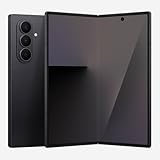
12. Samsung Galaxy Z Flip7
Spec line: 6.9-inch inner display · 4.1-inch cover screen at 120 Hz · 50MP main with 12MP ultra wide · pocketable clamshell
Best for: Buyers who want a flagship that folds to compact size and lets you check messages, music and maps on the cover screen without unfolding.
Skip if: You want maximum battery life or lens variety. There is no telephoto lens, and the clamshell battery is smaller than slab flagships.
Pros: Compact folded size, useful cover screen, 50MP main camera, hands-free shooting angles.
Cons: No dedicated telephoto, premium tier pricing, smaller battery than slab phones.
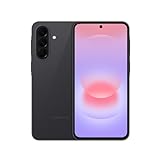
13. Samsung Galaxy A37 5G
Spec line: 6.7-inch flat FHD+ Super AMOLED at 120 Hz · 5,000 mAh with 45W wired charging · 50MP main camera with OIS · IP68 · up to six OS upgrades and six years of security updates
Best for: Mid-range buyers who want a bright flat AMOLED screen, dust and water resistance and a long support window from a major brand.
Skip if: You want a telephoto lens or flagship gaming speed. The Exynos 1480 chip is solid but not fast, and the ultra wide and macro lenses are modest.
Pros: Long update promise for the tier, IP68, big battery, bright 120 Hz screen.
Cons: No microSD slot, mid-range chip, secondary lenses are basic, charger sold separately.
14. Motorola Moto G Power (2026)
Spec line: 6.8-inch FHD+ 120 Hz LCD · 5,200 mAh battery · MediaTek Dimensity 6300 · 8 GB RAM and 128 GB storage with microSD up to 1 TB · 50MP main with OIS · 32MP front · IP68 and IP69
Best for: Shoppers on a tight budget who want battery life, a headphone jack and expandable storage, and who mostly message, browse and stream.
Skip if: You keep phones four years or longer. One outlet lists only two OS upgrades and three years of security updates, and the commitment is far shorter than Samsung’s or Google’s, so confirm the current policy.
Pros: Entry-level tier, two-day-class battery, microSD slot, headphone jack, strong durability ratings.
Cons: Short update window, no wireless charging, no HDR on the LCD, modest chip.

All 14 smartphones compared
This table lists every phone in the guide with the figures that drive the buying decision. Entries marked class mean the exact figure could not be confirmed, so the tier is described instead.
| Phone | Screen | Chip or memory class | Software support | Pick it for |
|---|---|---|---|---|
| iPhone 17 Pro Max | 6.9 in, 120 Hz | A19 Pro class | Apple, long history | Best overall, video, battery |
| Samsung Galaxy S26 Ultra | 6.9 in | High-end Snapdragon class | 7 years | Android power users, zoom |
| iPhone 17 Pro | 6.3 in, 120 Hz | A19 Pro class | Apple, long history | Compact pro phone |
| iPhone 17 | 6.3 in, 120 Hz | A19, 8 GB RAM | Apple, long history | Value iPhone |
| Google Pixel 10 Pro | 6.3 in | Tensor G5 class | 7 years | AI features, clean software |
| Samsung Galaxy S26 | 6.3 in | 12 GB RAM | 7 years | Compact Android flagship |
| Google Pixel 10 | 6.3 in | Tensor G5 class, 12 GB RAM | 7 years | Lower-cost flagship feel |
| Google Pixel 10a | Mid-range class | Mid-range class | Long Google support | Mid-range value |
| Samsung Galaxy S26+ | 6.7 in QHD+, 120 Hz | 12 GB RAM, 4,900 mAh | 7 years | Larger Samsung screen |
| OnePlus 15 | 6.78 in, up to 165 Hz | Snapdragon 8 Elite Gen 5 | Shorter than Samsung or Google | Performance and battery |
| Samsung Galaxy Z Fold7 | 8.0 in inner, 6.5 in cover | Snapdragon 8 Elite for Galaxy | 7 years | Tablet-size foldable |
| Samsung Galaxy Z Flip7 | 6.9 in inner, 4.1 in cover | Flagship class | Check maker page | Compact foldable |
| Samsung Galaxy A37 5G | 6.7 in, 120 Hz | Exynos 1480 | 6 OS upgrades, 6 years security | Mid-range with long support |
| Motorola Moto G Power (2026) | 6.8 in, 120 Hz LCD | Dimensity 6300 | Short, confirm policy | Entry-level battery champion |
How to choose a smartphone: quick thresholds by buyer
Turn the criteria above into a short checklist. Pass at least four of these for your situation, and the phone will serve you well.
- Keeps a phone four years or longer: require at least six years of security updates. Samsung and Google flagships offer seven, and the Galaxy A37 offers six. Skip phones with a three-year window.
- Heavy daily use: require a battery of about 5,000 mAh or more on Android, or an iPhone Pro Max. Size it so a heavy day ends with at least 20 percent left.
- One-handed use: stay at a 6.3-inch display or smaller, and under about 200 grams. The Galaxy S26, Pixel 10 and iPhone 17 Pro fit; the Ultra and Pro Max phones do not.
- Photos of distant subjects: require a dedicated telephoto lens. That points to the Pro, Ultra and Pixel 10 Pro tiers, not the iPhone 17, Pixel 10a or the lower-tier Galaxy phones.
- Productivity and reading: consider a larger 6.7-inch or bigger screen, or a foldable such as the Galaxy Z Fold7 with its 8-inch inner display.
- Tight budget: in the entry-level tier, prioritize battery size, storage and update length over chip speed. A phone with a two-day-class battery and expandable storage can beat a pricier rival that stops updating early.
- Storage: start at 256 GB unless you rely on cloud storage or a microSD slot.
Rank your must-haves, filter the table above, and then choose on price tier and ecosystem.
How Long a Smartphone Actually Lasts Before It Is Worth Replacing
Software support length is the single best predictor of how long a phone stays worth using, more than raw chip speed at launch, because a phone that stops receiving security updates becomes a liability long before its hardware feels slow. Flagship-tier phones from the major manufacturers now commonly carry multi-year security and OS update commitments stretching toward seven years, while mid-range and budget tiers from the same brands often get a shorter window. The practical rule: divide the stated commitment roughly in half to estimate the point where the phone still feels current rather than merely supported, since the final year or two of any support window is usually spent on security patches alone rather than meaningful feature updates. A phone bought today with a five-year commitment is a reasonable four-to-five-year hold; a phone with a seven-year commitment can realistically be held longer without feeling behind.
Trade-In and Resale Value: What Holds Up Best
Resale and trade-in value is driven far more by software support length and physical condition than by camera specs or benchmark scores. Phones from brands with longer software commitments depreciate more slowly because a buyer two or three years later is still buying a device with real update life left, not a dead end. Within a single lineup, the base and Pro-tier models from the same generation tend to hold value at a similar percentage rate; the bigger resale gap is between generations, since a model one cycle behind the current flagship typically loses a larger share of its value than the gap between Pro and standard within the same year. Keeping the original box, avoiding visible screen damage, and not swapping the battery with a non-original part are the three factors that most consistently protect resale value at trade-in time.
Repairability and Battery Health: What to Check Before You Buy
Battery health is usually measured against a standard threshold: most manufacturers define a battery as needing service once it drops to around 80% of its original capacity, typically somewhere between 500 and 1,000 full charge cycles depending on the chemistry and charging habits. Phones that support slower, more battery-friendly charging profiles and that let the owner cap charge limits tend to hold that 80% threshold longer than phones charged to 100% on a fast charger every night. On repairability, screen and battery replacement cost and part availability vary significantly by brand and model year, and that variance matters more over a multi-year hold than it does at the point of purchase. Checking whether a model uses standard adhesive battery mounting versus a more labor-intensive design is a reasonable proxy for how painful a battery swap will be once the phone is two or three years old.
Carrier-Locked vs. Unlocked: What Actually Changes
An unlocked phone can move between carriers and, for most recent models, supports eSIM alongside or instead of a physical SIM, which matters for anyone who travels or switches plans. A carrier-locked phone is tied to that carrier’s network until it is unlocked, a process that usually requires the account to be in good standing and the device fully paid off, and the unlock itself does not change the hardware or software in any way. The practical difference shows up at resale and at international travel: an unlocked phone is easier to sell to a wider buyer pool and easier to use with a local SIM abroad, while a carrier-locked phone may need an unlock request processed before either becomes possible. Checking band support for the specific carriers being considered is worth doing before buying, since not every unlocked phone supports every carrier’s full set of frequency bands.
eSIM and Connectivity: What to Confirm Before Switching
Most current flagship and mid-range phones support eSIM, and a growing number of regions and carriers now issue eSIM-only plans with no physical card option at all. The activation process varies by carrier — some transfer a number with a QR code scan in minutes, others require a support call — so it is worth confirming the specific carrier’s eSIM process before assuming a same-day switch is possible. Dual-SIM support through two eSIMs or one eSIM plus one physical SIM is useful for anyone keeping a work and personal number on one device, but not every model supports two active eSIMs simultaneously, so that needs confirming against the specific model rather than assumed from the brand’s flagship. Wi-Fi standard support is a quieter but real factor too: a phone supporting the newer Wi-Fi 7 standard will not see a speed benefit without a matching router, so it is a feature worth deprioritizing unless the rest of the home network already supports it.
When Skipping a Generation Makes Sense
Year-over-year phone upgrades usually bring incremental camera-processing improvements and modest chip speed gains rather than changes significant enough to justify replacing a phone that is working well. The better upgrade cadence for most buyers is every second or third generation, timed to land when the software support window on the current phone is entering its final stretch rather than timed to a release calendar. An exception worth watching for is a generation that changes something structural — a new charging standard, a meaningfully larger battery cell, or a camera sensor size increase rather than a processing update — since those shifts tend to carry forward as a baseline for several generations afterward and are worth adopting a cycle early rather than waiting.
Common Mistakes When Buying a New Smartphone
- Buying storage based on today’s needs only. Photo and video file sizes increase with every camera generation; the tier that feels generous at purchase often feels tight within two years.
- Ignoring the software update end date. A lower launch price loses its advantage fast if the update window ends two or three years sooner than a competing model.
- Assuming more cameras always means better photos. Sensor size and processing quality on the primary lens matter more than the total lens count.
- Skipping a case and screen protector on a glass-back phone. Repair costs for back glass are frequently underestimated relative to front screen damage.
- Not checking 5G band compatibility before switching carriers. A phone that works perfectly on one network can have noticeably weaker coverage on another if its band support does not match.
IP And Drop Ratings: What The Test Standard Actually Covers
On-Device AI Features And Why They Vary By Memory Tier
The on-device AI features marketed on current flagships, like live call summaries or photo editing that removes objects without sending the image anywhere, need enough RAM and a capable neural processing unit to run locally. Entry-level and mid-tier phones in the same lineup often ship with less memory, so the same feature either runs slower, requires an internet connection to process on a server instead, or is left out of that model entirely. This matters for anyone who wants those features to work offline, since a cloud-dependent version adds latency and depends on signal strength, and it also carries different privacy implications because on-device processing never leaves the phone while a cloud-assisted version does. Checking whether a specific AI feature is listed as on-device or connected in the manufacturer’s own specification page is a more reliable way to compare tiers than assuming the headline feature list is identical across a phone family.
Accessory And Case Compatibility When You Upgrade
Keeping cases, screen protectors, and wireless chargers across an upgrade depends on more than just the phone staying the same size. Manufacturers sometimes shift the exact position of the camera module or charging coil by a few millimeters between generations, which can misalign a magnetic charging stand or leave a case’s cutouts slightly off. The safest approach is checking that an accessory is listed as compatible with the specific model number being bought rather than assuming anything that fit last year’s phone will fit this year’s, especially for magnetic mounts and car chargers that rely on precise alignment rather than a universal clip.
Frequently asked questions
What is the best smartphone to buy in 2026?
The iPhone 17 Pro Max is the best overall for most buyers, and the Galaxy S26 Ultra is the best Android. Both lead their platforms in cameras, performance, and screen quality.
If you do not need the top tier, the iPhone 17 and Pixel 10 give most of the experience at a lower cost.
Should I buy an iPhone or an Android phone?
Choose the platform that matches the devices and services you already use. Both iPhone and Android flagships are excellent in 2026, so ecosystem fit matters more than raw specs.
If you own a Mac, an Apple Watch, or AirPods, an iPhone integrates best. If you want customization and a wider range of hardware, Android is the better fit.
How long will a new smartphone last?
A current flagship should last five to seven years for software support, though the battery may need replacement after about three to four years of heavy use.
Samsung and Google promise seven years of updates. Apple does not publish a fixed number but has supported iPhones for around six years or more.
Is the iPhone 17 Pro worth the extra cost over the iPhone 17?
Only if you need a telephoto lens, pro video formats, or the extra performance. The standard iPhone 17 has a 120 Hz display and strong cameras.
Most buyers will not use the extra pro features, so the iPhone 17 is the better value for typical use.
Which smartphone has the best battery life?
The iPhone 17 Pro Max has the strongest published battery results among current flagships, ahead of the Galaxy S26 Ultra by nearly two hours in one outlet’s evaluation.
Real-world battery life varies with screen use, signal strength, and settings, so treat published figures as a relative comparison.
How much storage do I need?
256 GB suits most people. Choose 512 GB or more if you record a lot of 4K video, keep large game libraries, or store media offline.
If you rely on cloud storage and shoot mostly photos, a lower tier can be enough, but you will need to manage it more often.
Is a mid-range phone good enough?
Yes, for most daily tasks. A mid-range phone like the Pixel 10a handles messaging, browsing, photos, and video well, though it has fewer lenses and a less powerful chip.
Choose a flagship only if you need top camera features, long zoom, or heavy gaming performance.
Should I wait for the next model?
Phones update on a yearly cycle, so there is always a newer model coming. Buy when your current phone no longer meets your needs or loses update support.
If a new model is about to launch, older models often drop in price, which can be a good time to buy.
Final recommendation
If you want the single best smartphone and are comfortable with a large phone, buy the iPhone 17 Pro Max or the Galaxy S26 Ultra, depending on the platform you prefer. If you want most of that experience for less, buy the iPhone 17 or the Pixel 10. If you value clean software and smart assistance features, the Pixel 10 Pro is the one to pick, and if you want a dependable mid-range phone with long support, the Pixel 10a is the pragmatic choice. Whichever you choose, favor a long update window and enough storage over small spec gains, because those two things decide how happy you are with the phone in year four.
More from Amazon
Programs that pair well with the guide above. Offers and eligibility are set by Amazon and may change.
Free shipping on eligible items, Prime Video and more. Eligible new members can start with a free trial.
Start a Prime free trialAudiobooks and podcasts to listen to on the go. Eligible new members can start with a free trial.
Try Audible freeAd-free music streaming. Eligible new subscribers can start with a free trial.
Try Music Unlimited freeA free business account with business pricing and bulk-buying tools for work, shop or home office.
Create a business accountAs an Amazon Associate we earn from qualifying purchases.









