Our Top Picks
 TP-Link AC1200 WiFi Extender Dual Band 5GHz/2.4GHz1 Count (Pack of 1)3.5 x 2.05 x 4.89 inches0.4 poundsCheck on Amazon
 TP-Link AC1900 WiFi Range Extender RE550WiFi 5, AC19006.4 x 3 x 2.6 inches0.51 poundsCheck on Amazon
 TP-Link AX3000 WiFi 6 Dual-Band Range Extender PCMag4.21 x 1.58 x 6.3 Inches0.84 PoundsCheck on Amazon
The best WiFi extender for most homes is a dual-band plug-in unit with an Ethernet port, and in this set the TP-Link RE315 and RE550 listings describe that profile most clearly. Extenders are a patch, not a cure: they rebroadcast a signal your router already delivers, so the spot where you plug one in matters as much as the model. Below are ten listings sorted by what their titles actually claim, with plain notes on where those claims are vague, inflated or aimed at a different job.
Two of the ten are full mesh kits and one is an add-on that only works with an existing eero system, so read the “type” notes before you compare coverage numbers.
Top picks at a glance
TP-Link AC1200 WiFi Extender Dual Band 5GHz/2.4GHz (RE315) | 1.2Gbps Home Signal Booster, Up to 1600 Sq.ft and 32 Devices, EasyMesh Compatible, One Ethernet Port


As an Amazon Associate we earn from qualifying purchases. Product prices and availability are accurate as of the date/time indicated.
TP-Link AC1900 WiFi Range Extender RE550 | Dual-Band Wireless Repeater | Amplifier w/ Gigabit Ethernet Port | Up to 2200 Sq. Ft., 32 Devices | Internet Signal Booster | APP Setup | EasyMesh


As an Amazon Associate we earn from qualifying purchases. Product prices and availability are accurate as of the date/time indicated.

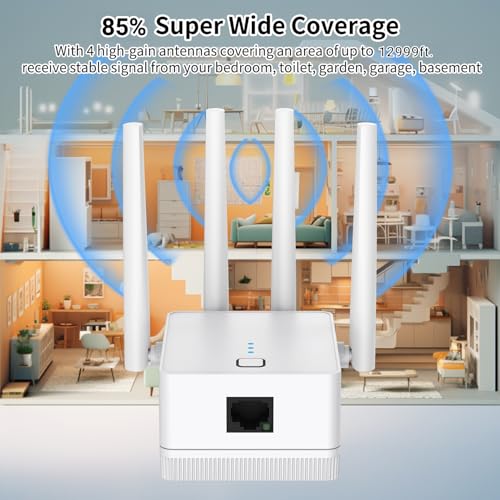
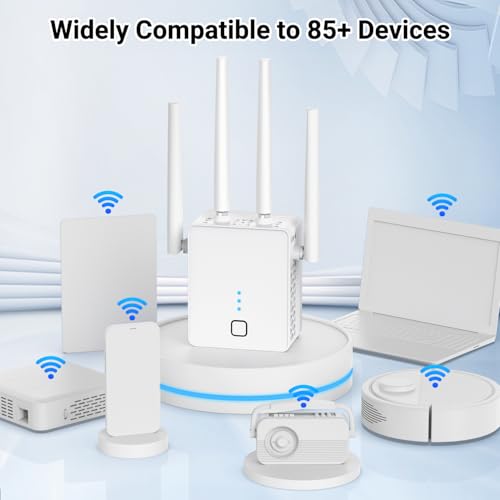
2026 New WiFi Extender, WiFi Booster 1200Mbps Dual Band | (5.8GHz/2.4GHz), WiFi Extender Signal Booster for Home with Ethernet Port Covers up to 18999sq.ft and 115+ Devices (White)


As an Amazon Associate we earn from qualifying purchases. Product prices and availability are accurate as of the date/time indicated.

TP-Link Deco X55 AX3000 WiFi 6 Mesh System, Deco X55(3-Pack) | Covers up to 6500 Sq.Ft. , Replaces Wireless Router and Extender, 3 Gigabit ports per unit, supports Ethernet Backhaul


As an Amazon Associate we earn from qualifying purchases. Product prices and availability are accurate as of the date/time indicated.

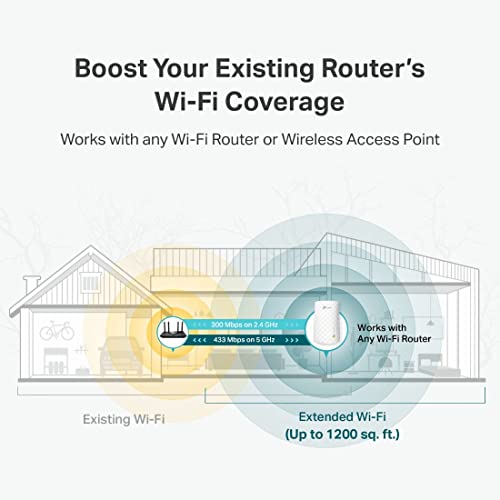
TP-Link WiFi Extender (RE220) with Ethernet Port, Dual Band 5GHz/2.4GHz | Up to 44% More Bandwidth than Single Band, Covers Up to 1200 Sq.ft and 32 Devices, Signal Booster Amplifier Supports OneMesh




As an Amazon Associate we earn from qualifying purchases. Product prices and availability are accurate as of the date/time indicated.
TP-Link AX3000 WiFi 6 Dual-Band Range Extender PCMag Editor's Choice | Wireless Repeater w/Ethernet Port | Up to 2400 Sq. Ft., 64 Devices | Internet Signal Booster | APP Setup | EasyMesh (RE715X)




As an Amazon Associate we earn from qualifying purchases. Product prices and availability are accurate as of the date/time indicated.

WiFi Extender Signal Booster for Home WiFi Booster 1200Mbps | Dual Band 5GHz & 2.4GHz Covers Up to 5200 Sq.Ft & 35 Devices, Ethernet Port with Four Antennas


As an Amazon Associate we earn from qualifying purchases. Product prices and availability are accurate as of the date/time indicated.

Amazon eero 6 mesh wifi add-on extender - Add up to 1,500 sq. ft. of Wi-Fi 6 coverage. Required eero mesh wifi system not included


As an Amazon Associate we earn from qualifying purchases. Product prices and availability are accurate as of the date/time indicated.

TP-Link Deco S4 Mesh AC1900 WiFi System, Deco S4(3-Pack) | Up to 5,500 Sq.ft. Coverage, Replaces WiFi Router and Extender, Gigabit Ports, Works with Alexa


As an Amazon Associate we earn from qualifying purchases. Product prices and availability are accurate as of the date/time indicated.

TP-Link AX1500 WiFi Extender Internet Booster WiFi 6 (RE500X) | Range Extender covers up to 1500 sq.ft and 25 Devices,Dual Band, AP Mode w/Gigabit Port, APP Setup, OneMesh Compatible


As an Amazon Associate we earn from qualifying purchases. Product prices and availability are accurate as of the date/time indicated.
| Model | Key point from title | Price tier | Best for |
|---|---|---|---|
| TP-Link RE315 | AC1200 dual band, 1600 sq ft, 32 devices, one Ethernet port | Budget | One weak room, simple setup |
| TP-Link RE550 | AC1900, Gigabit port, 2200 sq ft, 32 devices | Mid-range | Larger floor plans, wired device |
| EELEDEN 1200Mbps | Claims 18999 sq ft and 115+ devices | Mid-range | Only after checking the claims |
| TP-Link Deco X55 (3-pack) | WiFi 6 mesh, 6500 sq ft, ethernet backhaul | Premium | Replacing router and extender |
| TP-Link RE220 | Dual band, 1200 sq ft, 32 devices | Budget | Small apartments, tight budgets |
| TP-Link RE715X | AX3000 WiFi 6, 2400 sq ft, 64 devices | Premium | WiFi 6 homes with many devices |
| PEDUMMY 1200Mbps | Four antennas, 5200 sq ft, 35 devices | Budget | Cautious experiments only |
| eero 6 add-on | Adds 1500 sq ft, needs an eero system | Mid-range | Existing eero owners |
| TP-Link Deco S4 (3-pack) | AC1900 mesh, 5500 sq ft, Gigabit ports | Mid-range | Whole-home mesh on a budget |
| TP-Link RE500X | AX1500 WiFi 6, 1500 sq ft, AP mode | Mid-range | Entry-level WiFi 6, wired link |
What is changing in this category
Plug-in extenders used to be the default answer to a dead spot. Today the conversation has split in two. On one side, WiFi 6 extenders are replacing older AC models as households add more phones, cameras, speakers and streaming boxes. On the other, mesh kits keep getting cheaper, which pulls budget buyers toward replacing the router instead of patching it.
Price pressure also shapes the shelf. Budget plug-ins from lesser-known brands arrive with large range claims, while established brands tend to state more modest numbers. A bigger number is not a better product, and a calmer listing is often the more honest one.
The practical effect is that the word “extender” now covers three different products: a single plug-in repeater, an add-on node that joins a specific brand’s mesh, and a multi-piece system that retires your router. They solve overlapping problems with very different trade-offs in cost, setup and speed.
Another shift is branding around mesh compatibility. Listings mention names such as EasyMesh and OneMesh, which are meant to let extenders cooperate with compatible routers. Whether your particular router supports them is something to confirm with the manufacturer, not assume from a listing. Treat any spec in a title as the seller’s claim and expect real-world speed to land well below the headline number.
How we picked these
This list is built from listing titles, published specifications and manufacturer documentation, then cross-checked against common buyer complaints in review summaries. We favored clear specs, an Ethernet port, a stated device count and honest scope. Nobody on the team used or measured these units. Where a listing makes a claim that looks inflated for its class, we say so instead of repeating it.
TP-Link AC1200 WiFi Extender (RE315)
The title lists dual band 5GHz/2.4GHz, a 1.2Gbps combined rating, up to 1600 square feet, 32 devices, EasyMesh compatibility and one Ethernet port. That is a sensible, modest spec sheet, and it is the cleanest budget-tier entry here.
Use case: a back bedroom or home office where the router signal arrives weak but usable. Plug it halfway between the router and the dead spot, then use the Ethernet port for a desktop or smart TV that behaves better wired.
- Pro: dual band with a wired port at a low price tier
- Pro: EasyMesh mention may help with compatible routers
- Con: the 1.2Gbps figure is a combined radio number, not what one device will see
- Con: coverage claim assumes open layouts
Check the listing for the exact EasyMesh and WPS notes. Question to ask before buying: does my router support EasyMesh, and if not, am I fine with a separate network name?
Who should skip it: anyone with a gigabit plan who wants every device near full speed, and anyone with a house that needs more than one extra node. A single dual-band repeater is a modest tool, and a modest tool is exactly what its price tier signals. If your router is already weak at its own location, fix that first.
TP-Link AC1900 WiFi Range Extender RE550
This one steps up to AC1900, a Gigabit Ethernet port, up to 2200 square feet and 32 devices, with app setup and EasyMesh mentioned. The Gigabit port matters if you plan to connect a console or a work laptop that benefits from a faster wired link.
Use case: a two-story home where the dead zone is a full room, not a corner. The higher class makes more sense when your internet plan is fast enough that a basic extender would become the bottleneck.
- Pro: Gigabit port and a higher stated class
- Pro: app setup helps first-time users
- Con: still a single-radio-path repeater by category, so some throughput loss on the repeated link is a normal risk
- Con: more expensive than basic plug-ins that cover the same small room
Check the listing for physical size, since larger plug-in bodies can block a neighboring outlet. Ask whether your internet speed justifies this tier.
Who should skip it: small-apartment owners, where the stated 2200 square feet is wasted, and anyone with a WiFi 6 router and many WiFi 6 devices who would rather buy a WiFi 6 extender. AC1900 is a WiFi 5 class, so it will not unlock newer features by itself.
EELEDEN WiFi Extender 1200Mbps
The title claims coverage of up to 18999 square feet and 115+ devices from a 1200Mbps dual band unit. Those numbers are far beyond what a single plug-in extender in this class is normally described as handling, and the title also carries a “new” label in the product name. We would treat the coverage and device figures as marketing language, not planning numbers.
Use case: a low-stakes experiment in a small space, if the return policy is clear. It is not a sensible pick for a large home on the strength of that coverage claim.
- Pro: dual band with an Ethernet port, per the title
- Pro: mid-range tier relative to this set
- Con: extraordinary coverage claim, no supporting detail in the title
- Con: little brand documentation to check against
Check the listing for a manual and warranty terms. Ask: if this claim is wrong by a factor of five, is the product still worth it?
Who should skip it: buyers who need predictable support, anyone planning to cover a multi-story house, and anyone who will not read the return policy first. Ask yourself whether the lowest-risk choice is a better-documented unit in the same tier.
TP-Link Deco X55 AX3000 Mesh System (3-pack)
This is not an extender. It is a WiFi 6 mesh system that, per the title, replaces both your router and any extender, covers up to 6500 square feet, has three Gigabit ports per unit and supports Ethernet backhaul. It sits in the premium tier here because you are buying three units.
Use case: a larger or multi-level home where one extender would never be enough, or a house where you can run cable between nodes. Ethernet backhaul, when available, is one of the more reliable ways to keep mesh speeds high.
- Pro: whole-home design with wired backhaul support
- Pro: three Gigabit ports per unit for wired gear
- Con: replaces your router, so setup and ISP gateway settings need attention
- Con: cost is far above a single plug-in
Check the listing for how it pairs with an ISP modem-router combo. Question to ask: do I want to manage a new network or just fix one corner?
Who should skip it: renters whose ISP supplies a locked gateway, small homes where one extender would do, and anyone who dislikes managing a phone app for network settings. If your only problem is one weak bedroom, three units are more system than the job needs.
TP-Link WiFi Extender RE220
The RE220 title lists an Ethernet port, dual band 5GHz/2.4GHz, up to 1200 square feet, 32 devices and OneMesh support. It also says “up to 44% more bandwidth than single band”, a relative claim without a stated baseline. The title does not give a speed class, so check the listing for it.
Use case: a studio or small apartment where the router is two rooms away and the budget is tight. This is the lowest price tier in the set.
- Pro: very low cost with a wired port
- Pro: OneMesh mention for compatible routers
- Con: smallest stated coverage here
- Con: speed class is not shown in the title
Question to ask: will my router work with OneMesh, and is a small coverage rating enough for my floor plan?
Who should skip it: households with many streaming devices, large floor plans, or a fast internet plan. The low price tier and small stated range point to a light-duty job, and the title gives no speed class to justify more.
TP-Link AX3000 WiFi 6 Range Extender RE715X
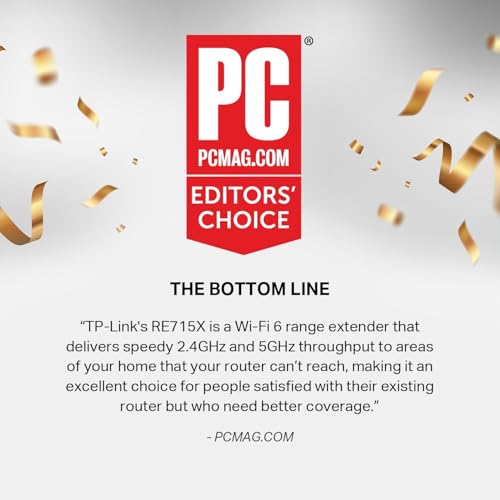
The title includes a “PCMag Editor’s Choice” badge, which is a seller-stated label that we have not verified. It also lists AX3000 WiFi 6, dual band, an Ethernet port, up to 2400 square feet, 64 devices, app setup and EasyMesh.
Use case: a household with many connected devices and a WiFi 6 router, where an older AC extender would hold back newer phones and laptops. The higher device count suggests it is aimed at busy homes.
- Pro: WiFi 6 class with a higher stated device count
- Pro: app setup and EasyMesh mention
- Con: premium tier price for a single plug-in
- Con: gains depend on a WiFi 6 router and fast internet plan
Check the listing to confirm the badge source. Question to ask: do I have a WiFi 6 router, or would a mesh kit cost nearly the same?
Who should skip it: buyers with an older router, small homes with few devices, and anyone who would put the same money toward a mesh kit. A badge in a title is not a substitute for reading what the manufacturer documents about setup and compatibility.
PEDUMMY WiFi Extender Signal Booster 1200Mbps
The title says dual band, covers up to 5200 square feet, supports 35 devices, includes an Ethernet port and has four antennas. A 5200 square feet claim for a 1200Mbps plug-in is generous, and the brand name will be unfamiliar to many buyers.
Use case: a cheap trial in a single dead spot. We would not plan a large home around the stated range.
- Pro: low price tier with four antennas and a wired port
- Con: coverage figure looks optimistic for the class
- Con: limited brand track record to check
- Con: documentation and support quality are unknown
Check the listing for firmware update info and return terms. Ask: if it underperforms, how easy is the return?
Who should skip it: anyone who wants a long-term, supported network device, and anyone running a work-from-home setup that cannot afford dropouts. Unfamiliar brands can still work well, but the evidence available to a buyer is thinner.
Amazon eero 6 Mesh WiFi Add-On Extender
This listing is an add-on only. The title says it adds up to 1500 square feet of WiFi 6 coverage and that a required eero mesh system is not included. If you do not already own an eero system, it will not work as a standalone extender.
Use case: an eero owner with one stubborn room. Adding a node of the same ecosystem is usually simpler than mixing brands.
- Pro: designed to join an eero mesh, so setup stays inside one app
- Pro: WiFi 6 per the title
- Con: useless without an existing eero system
- Con: coverage figure is modest for the tier
Check the listing for which eero models it is compatible with. Question: do I already own a compatible eero base?
Who should skip it: anyone without eero gear, anyone who wants to stay on an existing non-eero router, and anyone looking for a simple plug-in repeater. Buying it by mistake is the most common risk with add-on listings, so read the title twice.
TP-Link Deco S4 AC1900 Mesh System (3-pack)
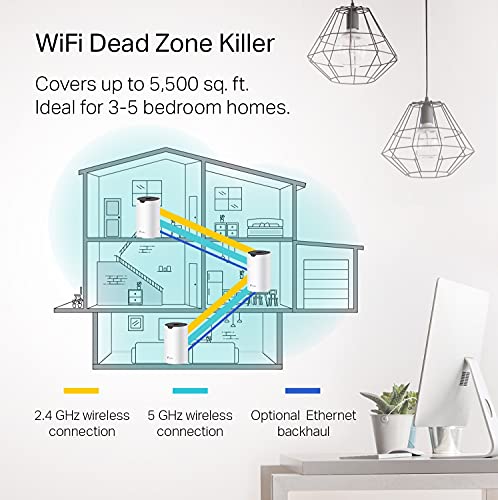
Another mesh kit, not an extender. The title lists AC1900, up to 5,500 square feet, Gigabit ports, Alexa support, and replacement of your router and extender. It is WiFi 5 rather than WiFi 6, which keeps the price tier lower than the X55.
Use case: a home that has outgrown a single router and does not have many WiFi 6 devices yet.
- Pro: three-piece coverage at a mid-range tier
- Pro: Gigabit ports on the nodes
- Con: older WiFi generation
- Con: you replace the router rather than patch it
Check the listing for Ethernet backhaul support, which this title does not mention. Ask: do I need WiFi 6 devices to be well served?
Who should skip it: households that already own a good router and only need one extra node, and buyers who want the latest WiFi generation for new phones and laptops. A mesh kit changes the whole network, so it is a bigger step than the problem may deserve.
TP-Link AX1500 WiFi Extender RE500X
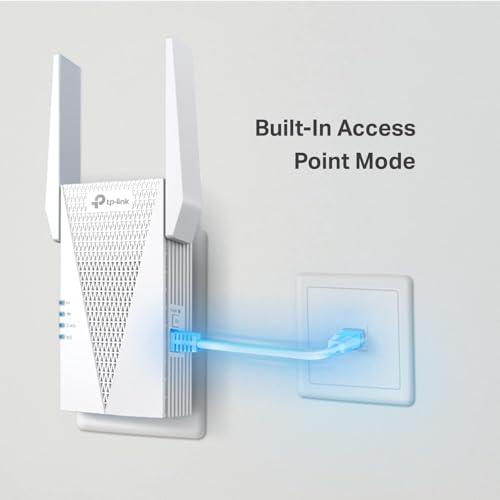
The RE500X title lists WiFi 6, dual band, up to 1500 square feet, 25 devices, AP mode with a Gigabit port, app setup and OneMesh compatibility. AP mode is the useful extra: with a cable run, it can act as an access point instead of a wireless repeater.
Use case: a smaller home that wants WiFi 6 without paying for a premium AX3000 extender, or someone who can run a cable to the dead spot.
- Pro: AP mode with a Gigabit port
- Pro: WiFi 6 at a mid-range tier
- Con: lowest device count among the WiFi 6 extenders listed
- Con: coverage claim is modest
Question to ask: can I run Ethernet to the weak area? If yes, AP mode may be the best use of this model.
Who should skip it: households with a large number of connected devices, since the title lists 25, and anyone who needs a wider area than a single average-sized zone. If no cable run is possible and the space is big, a mesh kit may fit better.
How to choose a WiFi extender
Extender, access point or mesh?
A wireless extender picks up your router’s signal and rebroadcasts it, which typically costs some speed. An access point connects by cable and broadcasts a fresh signal, which is usually the cleaner fix if you can run a wire. A mesh kit replaces the router with several coordinated nodes. If you can cable to the dead spot, favor AP mode. If not, an extender is cheaper than mesh but less elegant.
Placement and the halfway rule
Plug an extender where the router signal is still decent, often about halfway to the dead spot. Placing it inside the dead zone gives it nothing good to repeat. Walls, metal, appliances and mirrors can all reduce range, so treat the square-footage numbers in listings as best-case for open space.
Bands, speeds and WiFi generations
Dual band means the unit can use 2.4GHz and 5GHz. The 5GHz band is faster but shorter-range, 2.4GHz travels further but is often busier. WiFi 6 helps in homes with many devices, though only if your router and clients support it. Combined figures such as 1200Mbps add up the radios and are not what one device receives.
Ethernet backhaul and AP mode
The most reliable fix for a weak area is usually a cable. If your home has Ethernet runs, or you can route a flat cable along a baseboard, an access point or AP-mode device sends a fresh signal instead of relaying a weakened one. Mesh kits that support Ethernet backhaul use the same idea between nodes. If a listing does not mention AP mode or wired backhaul, assume it relies on wireless relaying and plan for some loss.
Setup, network names and security
Most plug-ins ask you to join them to your router using a button press or an app, then give you a choice: a second network name, or a single shared name if the router and extender support the same mesh standard. A shared name makes roaming easier but is not guaranteed by a listing. Set a strong WiFi password, change default admin credentials where the app allows, and check the manufacturer for firmware updates. Follow the manufacturer’s instructions for setup and for any reset procedure.
Power and placement safety
Plug-in extenders sit in a wall outlet and carry their own weight, so avoid loose or damaged outlets and do not stack them behind heavy furniture where heat could build up. Keep them away from moisture, such as bathrooms and kitchens near sinks. If an outlet feels warm or the unit smells hot, unplug it and follow the manufacturer’s instructions and local codes for any electrical issue.
Pre-purchase checklist
- Note your router model and whether its documentation mentions EasyMesh or OneMesh.
- Measure how many walls and floors sit between the router and the weak spot.
- Decide whether a cable run is possible, which could make AP mode the better route.
- Write down your internet plan speed so you do not overbuy or underbuy a class.
- Read the return terms, especially for lesser-known brands with large claims.
- Count the devices that will connect to the new signal, not every device in the house.
Worked example
Assume a 100Mbps internet plan, a router upstairs, and an office downstairs where speed drops to 40Mbps. A basic extender placed midway might deliver somewhere around half of what it receives, so say 20 to 30Mbps in the office. That is an estimate with stated assumptions, not a promise. Connecting the office PC by cable to an AP-mode device could preserve far more of the 100Mbps.
| Spec concept | What to look for | Why |
|---|---|---|
| Ethernet port | Gigabit if you plan to wire a console or PC | Wired is steadier than repeating over air |
| AP mode | Mentioned explicitly in the listing | Lets you use cable instead of wireless backhaul |
| Mesh compatibility | EasyMesh or OneMesh match with your router | Gives one network name and smoother roaming |
| Device count | Realistic number for your household | Inflated figures are marketing |
| Coverage claim | Treat as open-space best case | Walls cut range sharply |
Mistakes buyers make
Buying on coverage numbers alone is the first one. A listing claiming five figures of square footage says nothing about walls. Second, plugging the unit into the dead zone, where there is no signal to repeat. Third, ignoring compatibility: a mesh add-on such as the eero listing needs its own ecosystem. Fourth, forgetting that extenders usually cut throughput on the repeated link. Fifth, skipping the router: if your router is old or badly placed, moving it may fix more than any add-on.
Also, do not expect a plug-in to work through a weak or unstable connection. If the base signal drops constantly, the extender will repeat the instability.
Another common error is stacking extenders in a chain, where each hop cuts speed again. If one is not enough, a mesh kit is the cleaner step. Last, many buyers ignore the Ethernet port, even though a wired device attached to an extender is often the biggest immediate gain in stability.
Verdict by use case
- Single weak room, tight budget: RE220 or RE315, based on stated specs.
- Larger floor plan with a wired device: RE550.
- WiFi 6 and many devices: RE715X, or RE500X if a cable run and AP mode are possible.
- Whole-home rework: Deco X55 for WiFi 6 and wired backhaul, Deco S4 for a lower price tier.
- Already own eero: the add-on node.
- Be cautious: the EELEDEN and PEDUMMY claims are well above what the class typically supports.
Questions readers ask
Do WiFi extenders slow down my internet?
Often they do, on the repeated link. A repeater that receives and retransmits on the same band can cut usable speed noticeably, and the loss grows with distance and walls. Dual-band units and wired connections soften the effect. Think of an extender as a way to get a stable signal where you had none, not as a way to match the speed you get standing next to the router.
Where should I plug in a WiFi extender?
Usually about halfway between your router and the dead spot, in a place where your phone still shows a decent signal. If you plug it in inside the weak zone, it has very little to repeat. Avoid placing it behind large appliances or metal shelving, and try moving it a few feet at a time if the first position disappoints. If a claim cannot be checked, weigh it lightly and favor products with clearer documentation.
Is a mesh system better than an extender?
For larger or multi-level homes, usually yes, because the nodes are designed to work together under one network name and often support wired backhaul. The trade-off is cost, and the fact that you replace your router. For one weak room, a plug-in extender or a cabled access point is often enough. Match the size of the fix to the size of the problem.
What do EasyMesh and OneMesh mean in listings?
They are branded names for compatibility features meant to let extenders cooperate with matching routers, often giving a single network name and smoother roaming between them. Support depends on your specific router model, so confirm it in the manufacturer’s documentation before buying. A mention in a listing title alone does not guarantee your router will join in. When two options look close, pick the one whose limits are stated most plainly.
Can I trust claims like 18999 square feet?
Treat them with strong skepticism. Range figures are usually best-case numbers for open space, and a claim far above others in the same class deserves a closer look at documentation, warranty and return terms. Compare similar models side by side, then plan around your own walls, floors and layout instead of the headline number. Keep the return window in mind in case the real-world fit is not what you expected.
Do I need a WiFi 6 extender?
Only if your router and many of your devices support WiFi 6, and your internet plan is fast enough to benefit. With an older router, a WiFi 6 extender may still work but cannot add speed the router does not provide. For simple dead-spot fixes in a modest home, a dual-band AC unit is often adequate and costs less. Your own layout and habits will matter more than any single number in a title.
Related guides
- Carbon Fiber Folding Electric Wheelchairs
- Bose Quietcomfort Ultra Vs Bose 700 Headphones
- Black Friday And Cyber Monday Phone Deals